Finuro vs Zoho CRM for SEBI Research Analysts and RIAsZoho CRM is a flexible, affordable general CRM that can be customised for finance. Finuro is built for SEBI-registered research analysts and investment advisers, with KRA KYC, MITC e-sign, research delivery, paid channels and SEBI records ready out of the box. Here is how they compare for an Indian advisory practice. 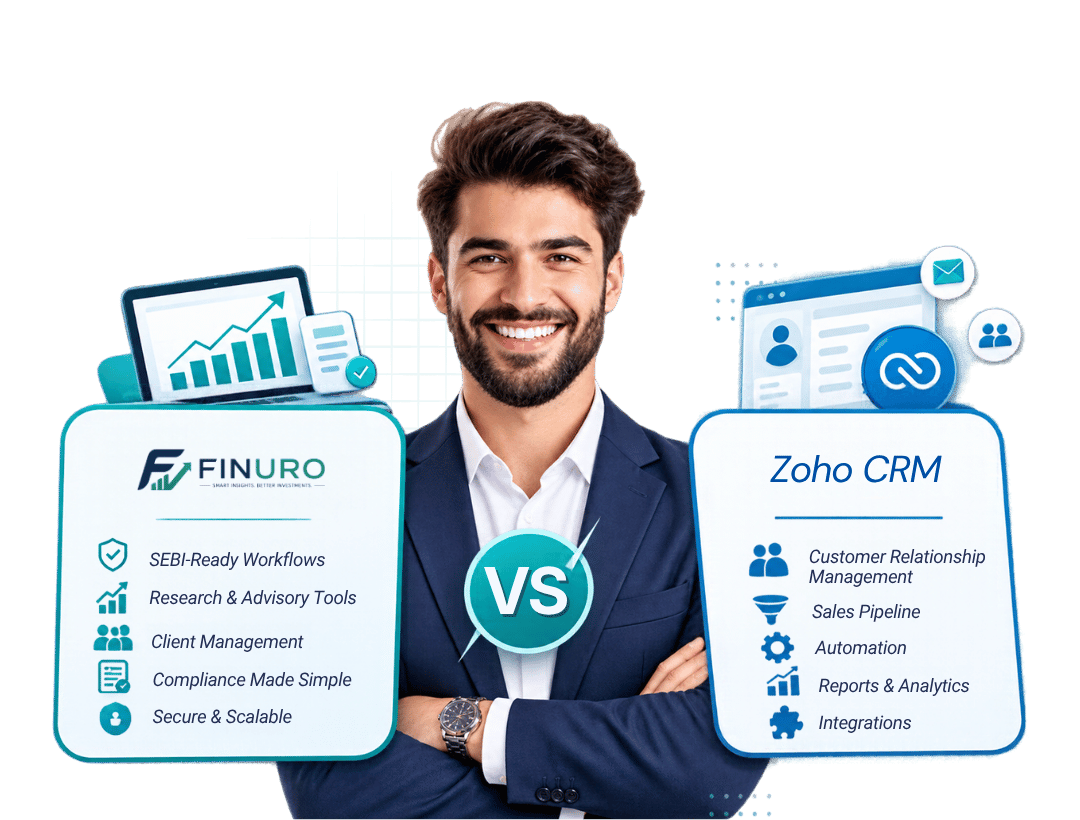 WHERE FINURO FITS Where Finuro is the stronger choiceBuilt around the work of a SEBI-registered research analyst or investment adviser. SEBI onboarding built inKYC through CVL and NDML KRAs, MITC and agreements e-signed with Aadhaar, and risk profiling in one flow. Research deliveryCalls with entry, targets and stop-loss, tracked live and delivered by email, WhatsApp and Telegram. MonetisationSubscriptions, paid Telegram and WhatsApp groups, courses, consultations and pay-to-unlock notes, with GST invoices. Audit-ready recordsTimestamped recommendations, consent, communication records and an audit trail. WHERE THEY FIT Where Zoho CRM is the stronger choiceAn honest look at what Zoho CRM does well. Deep customisationCustom modules, Blueprints, Deluge scripting and webhooks let you build almost any workflow. Low per-user pricingPaid editions from ₹800 per user a month billed annually, and a free edition for up to 3 users. Indian data centresAccounts created for India are hosted in Zoho's Mumbai and Chennai data centres. A wide suiteZoho Sign, Zoho Billing and Zoho Books sit alongside the CRM. How to move from Zoho CRM to FinuroStep 1 Book a demoWe map your current setup and what you need from Finuro. Step 2 Import clientsBring in leads and clients from a spreadsheet export, with a preview of each row. Step 3 Set up onboardingTurn on KRA KYC, MITC and e-sign, risk profiling and payment for each plan. Step 4 Go liveConnect your gateway and channels, publish your plans and invite clients. Last updated: 21 October 2026 Finuro vs Zoho CRM: the short answerChoose Zoho CRM if you want a general-purpose CRM at a low per-user price and have the time or budget to customise it for SEBI workflows. Choose Finuro if you want those workflows ready on day one: KRA KYC, MITC and agreement e-sign, risk profiling, recommendation delivery, paid Telegram and WhatsApp groups, model portfolios and SEBI records. Feature comparison for SEBI RAs and RIAsPricing in IndiaZoho CRM lists Standard at ₹800, Professional at ₹1,400, Enterprise at ₹2,400, Ultimate at ₹2,600 and CRM Plus at ₹2,900 per user a month billed annually, with higher monthly-billing prices, GST extra and a free edition for up to 3 users. Zoho Billing for subscriptions is priced separately. Finuro's plans are Starter at ₹999 a month plus a 7% commission on sales, Professional at ₹4,999 a month plus 5.5%, and Growth at ₹9,999 a month plus 4%, with no setup fee; gateway charges and taxes are extra. Finuro is priced per firm rather than per user, so compare the total for your team and sales volume. Where the difference showsOnboardingIn Zoho you would assemble onboarding from forms, Zoho Sign and custom fields. In Finuro it is a configurable sequence: KRA KYC, MITC, risk assessment and payment, with documents saved on the client. Research deliveryZoho has no concept of a stock recommendation. Finuro publishes calls with entry, targets and stop-loss, tracks them against live prices and sends updates on every channel. Compliance recordsZoho's audit log tracks CRM changes. Finuro also keeps the records SEBI asks about: timestamped recommendations with rationale, consent, communication and five years of history. Who should choose which
Product names are trademarks of their owners. Information about Zoho CRM comes from its public website as of 21 October 2026; features and prices change, so check with the vendor before you decide. Related Finuro features
Frequently asked questionsCommon questions about finuro vs zoho crm in Finuro. Built for SEBI RAs and IAs See Finuro next to your Zoho setupBook a demo to compare onboarding, research delivery and records side by side.  |
Book a Demo
See how Finuro handles onboarding, recommendations, model portfolios, and billing for your advisory firm. Tell us a little about your practice and we'll walk you through the platform on a live call.