Complete your public profileYour profile is what visitors see first, on your own site and in the Finuro directory. A clear headline, a short introduction and a photo help them trust you before they subscribe. Time needed: about 3 minutes · Last updated: 15 November 2026 Step 1: Open your profile settingsOn the Get started card, click Complete profile. (Or open Settings from the menu, then Personal.) 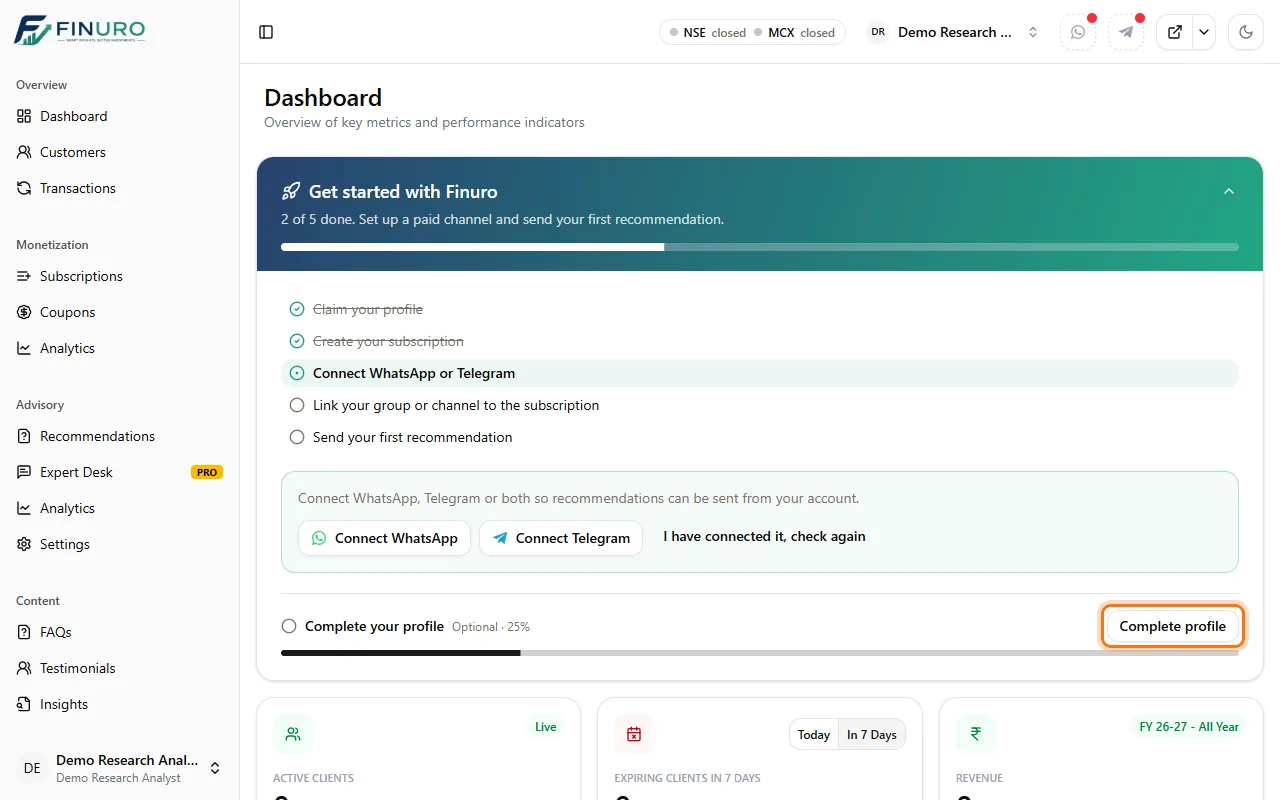 Step 2: Basic and contact detailsAdd your Designation and Education, and check your Contact Email and Contact Phone Number. 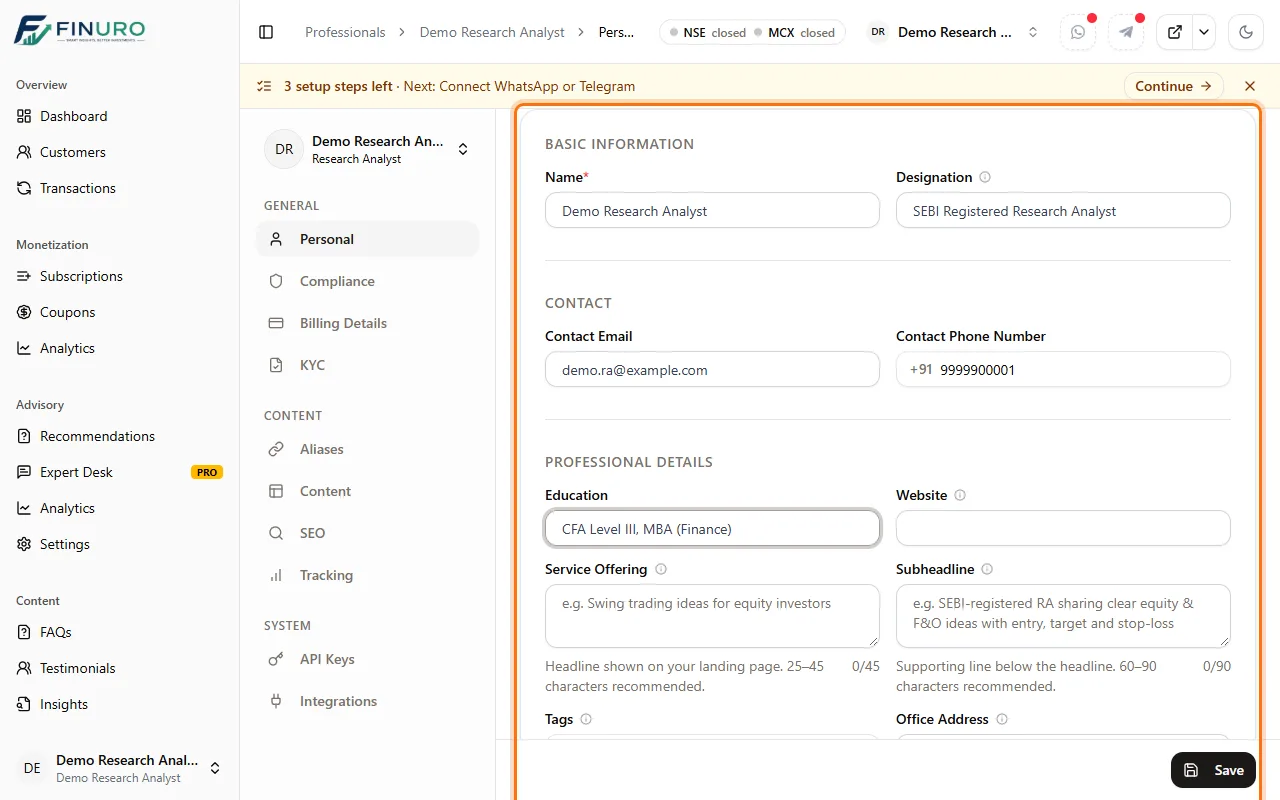 Step 3: Headline and subheadlineService Offering is your headline: what you offer, in one line (e.g. "Swing trading ideas for equity investors"). Subheadline adds a little more detail. You can also add Tags, a Website and an Office Address. 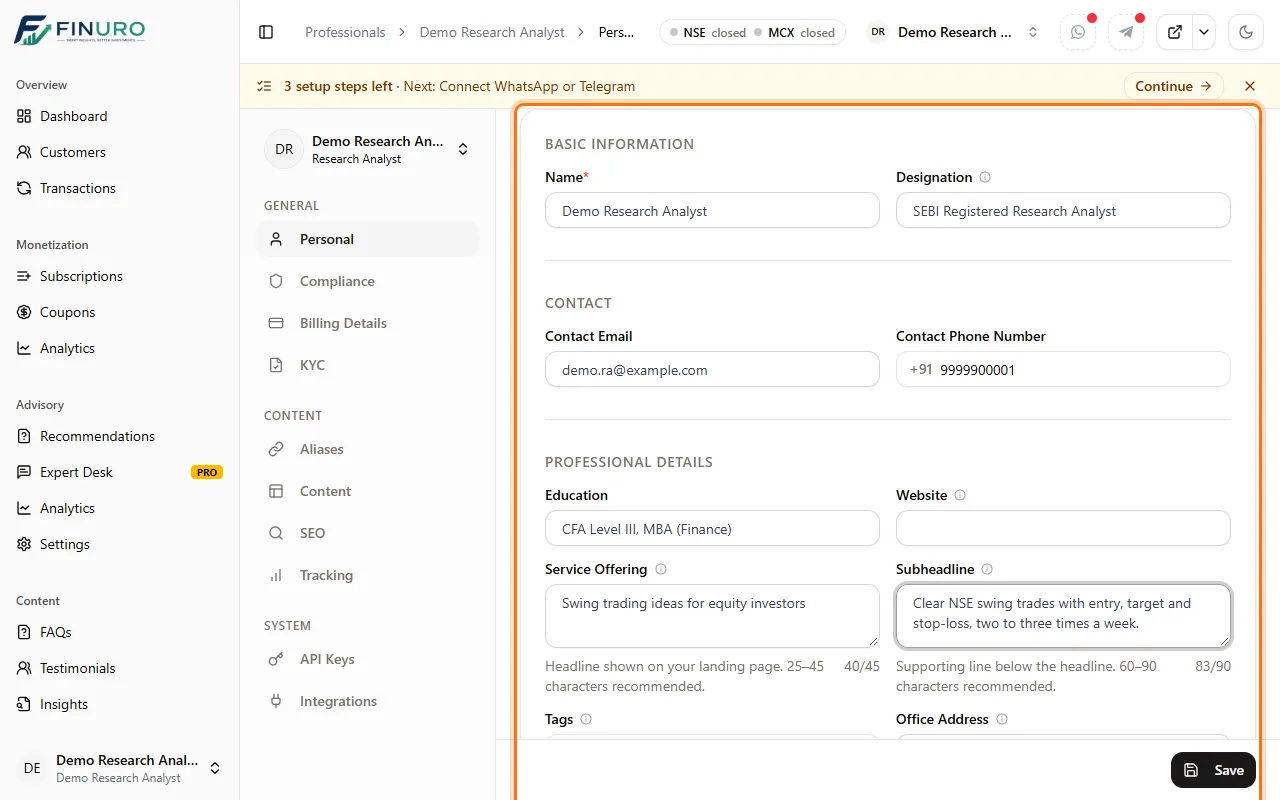 Step 4: About youIn About, introduce yourself: your experience, your approach, and who your research is for. 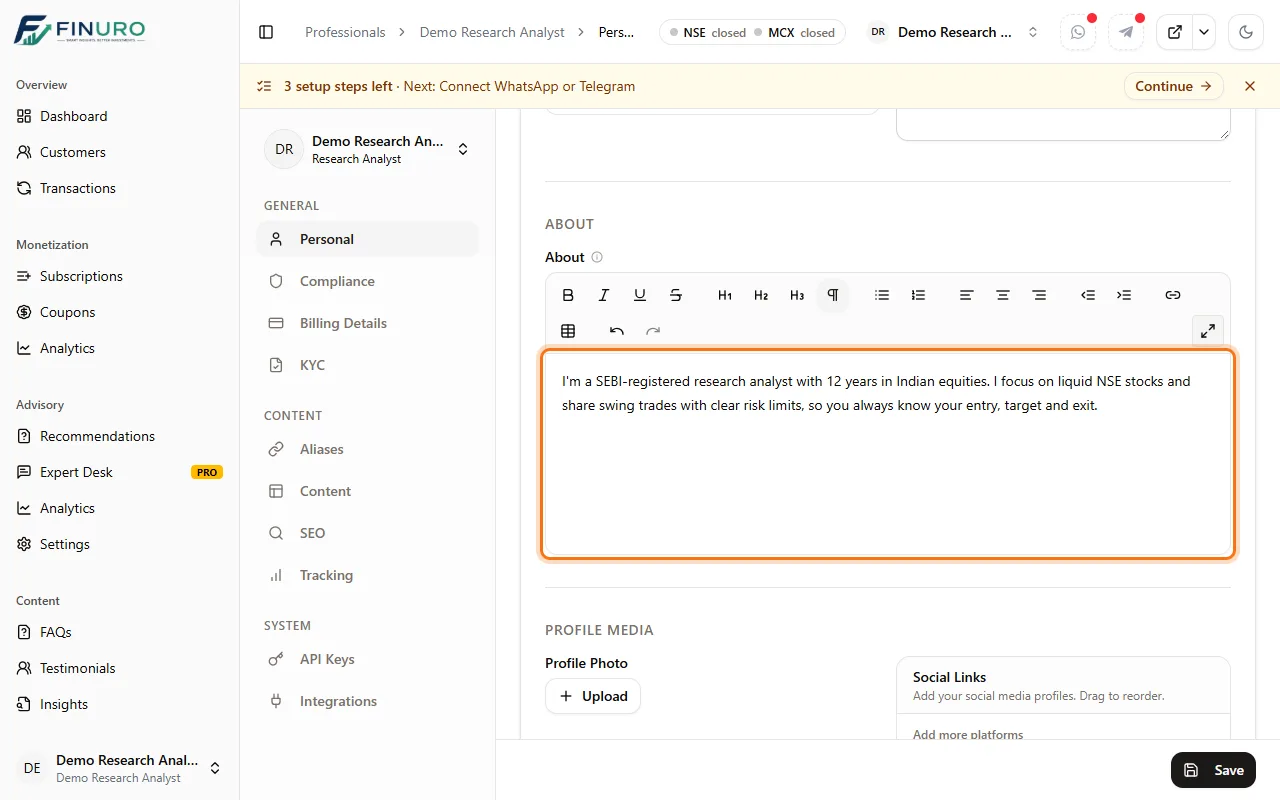 Step 5: Profile photo and social linksUnder Profile Media, click Upload to add a clear, square photo, and add your social profiles under Social Links. Then click Save (bottom right). 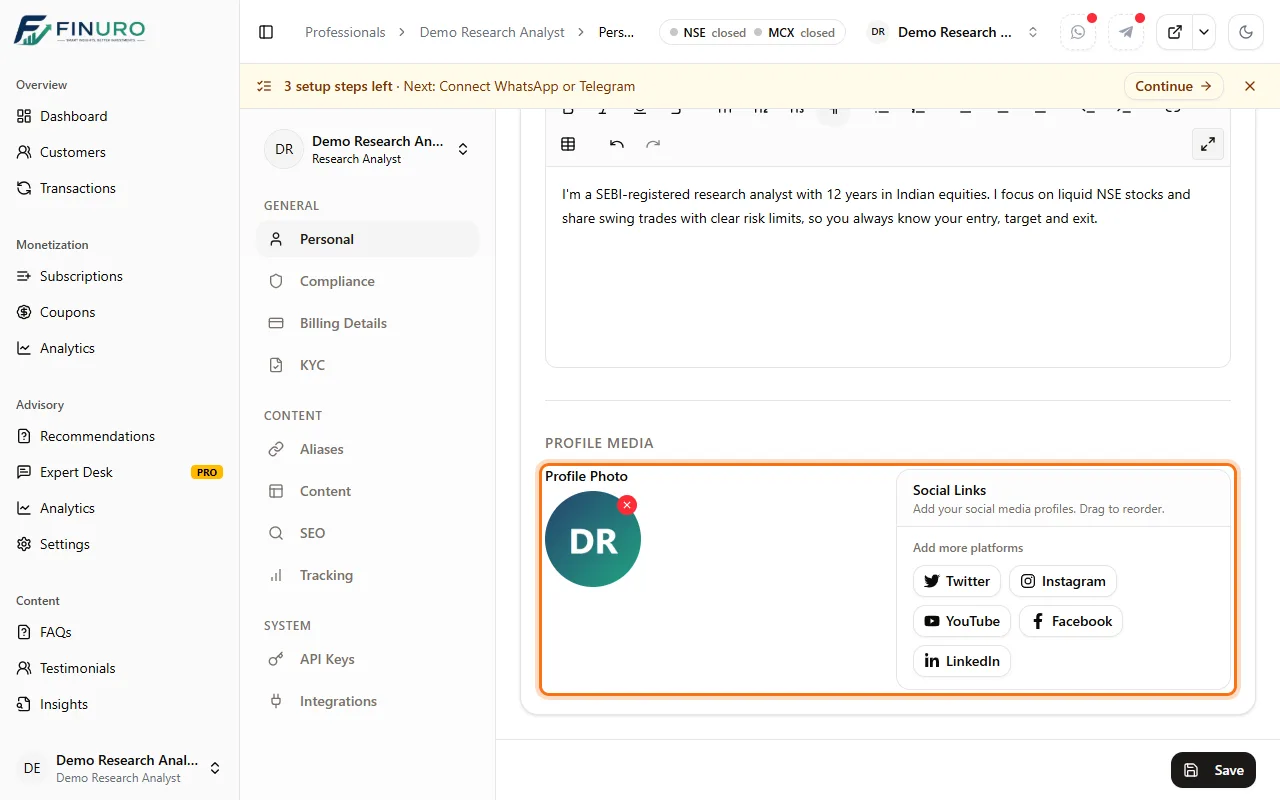 See it on your siteYour profile is live on your own site at your web address (yourname.finuro.app), with your headline, photo and subscriptions.  Further down, visitors see your About section and how to reach you. 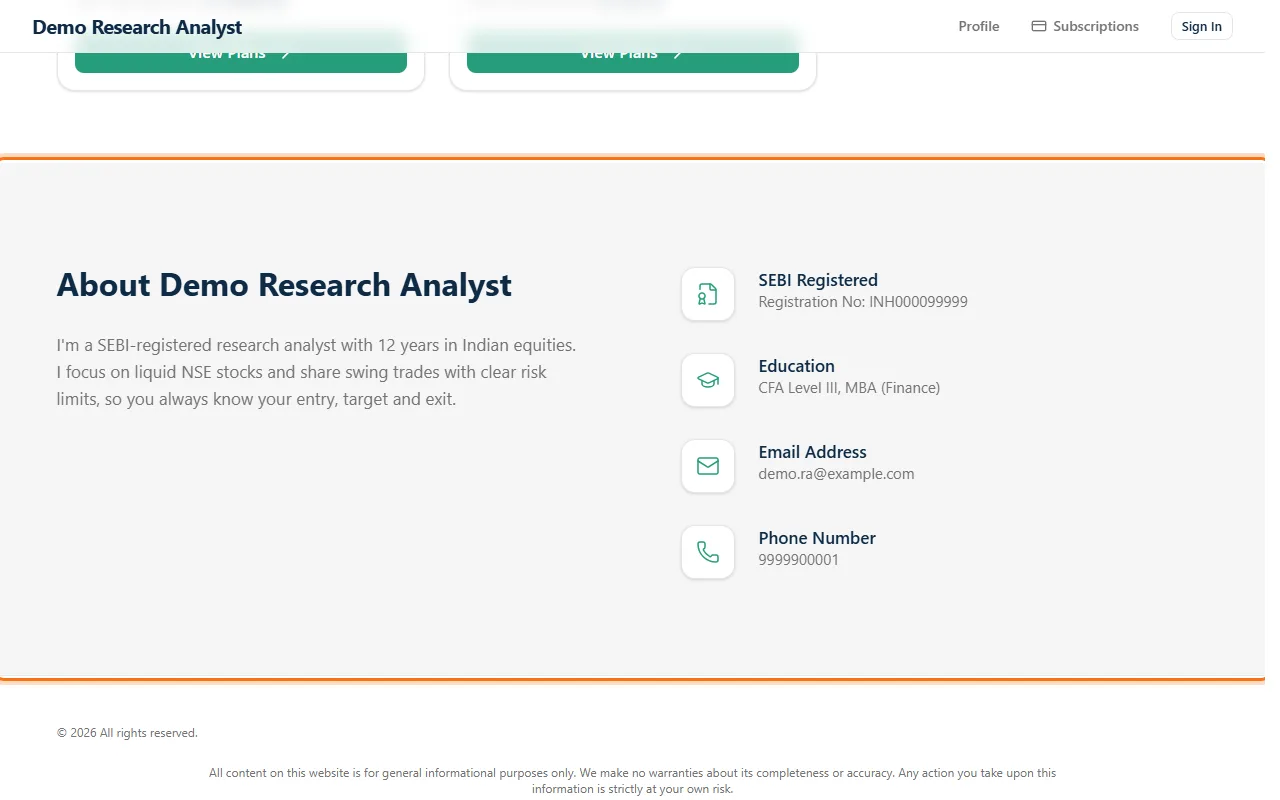 Tips
What's nextNext guide: Billing details and GST invoices: add your bank and billing details and turn on automatic invoices. |

Book a Demo
See how Finuro handles onboarding, recommendations, model portfolios, and billing for your advisory firm. Tell us a little about your practice and we'll walk you through the platform on a live call.