Create Subscription offering with FINUROA subscription is what your clients pay for: your research or advice, delivered on WhatsApp, Telegram or both. This guide sets up your first one, with a plan, a price and client onboarding, using Save & Next to move through each step. For Research Analysts and Investment Advisers · Time needed: about 3 minutes · Last updated: 15 November 2026 Before you start
Step 1: Choose where your subscribers joinOpen Subscriptions from the left menu (or click Create subscription on your Get started card). When you have no subscription yet, you choose how your subscribers join:
Click Create on the one you want. This guide uses WhatsApp. 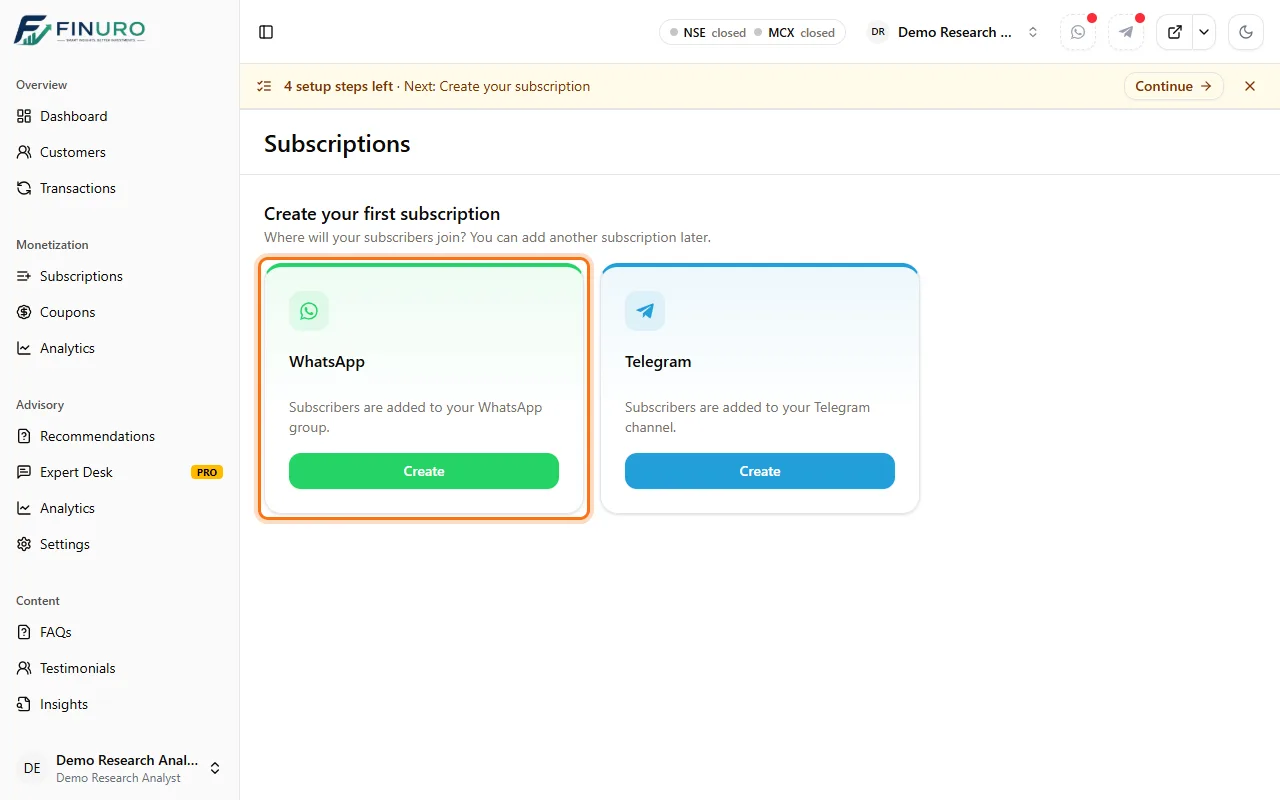 Step 2: OverviewEnter a clear Title. The Identifier and Slug (the page address) fill in from it; you can change them before saving. 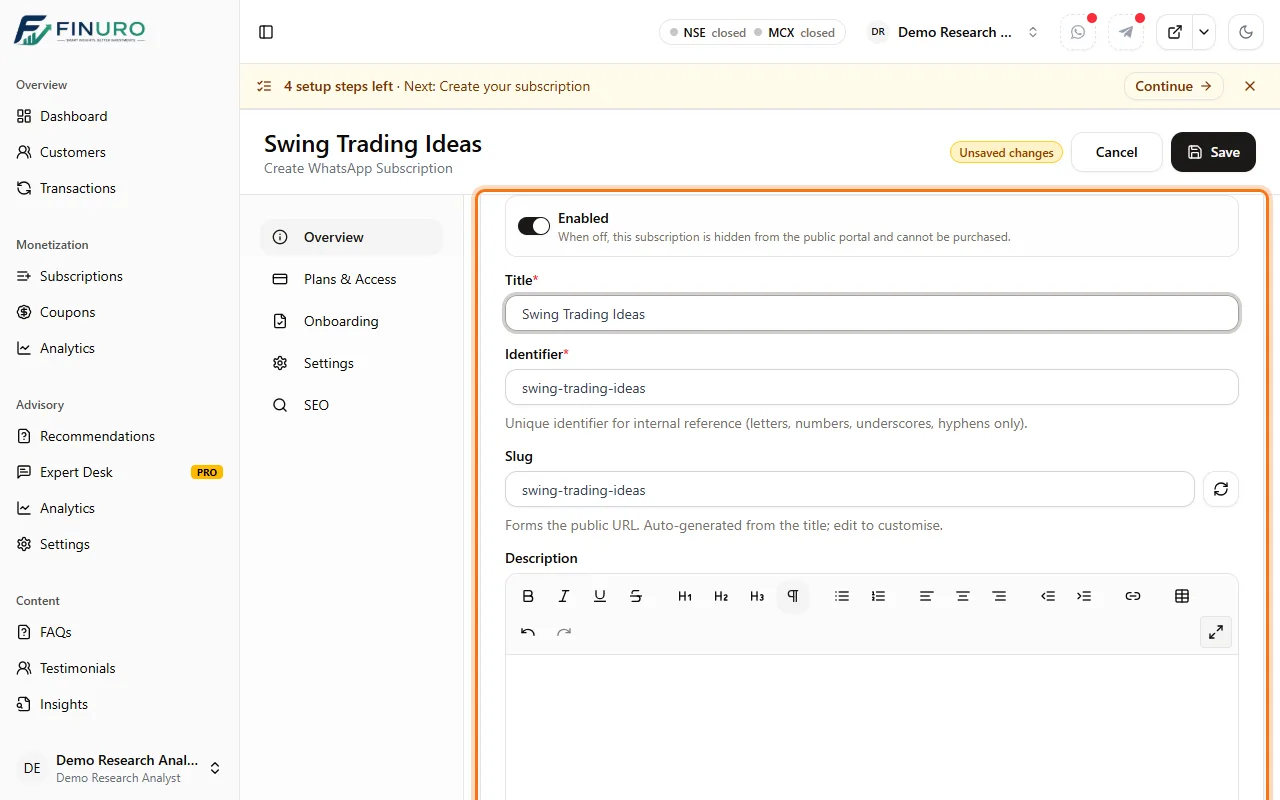 Add a short Description so clients know what they get. A cover image and a short video are optional, further down. 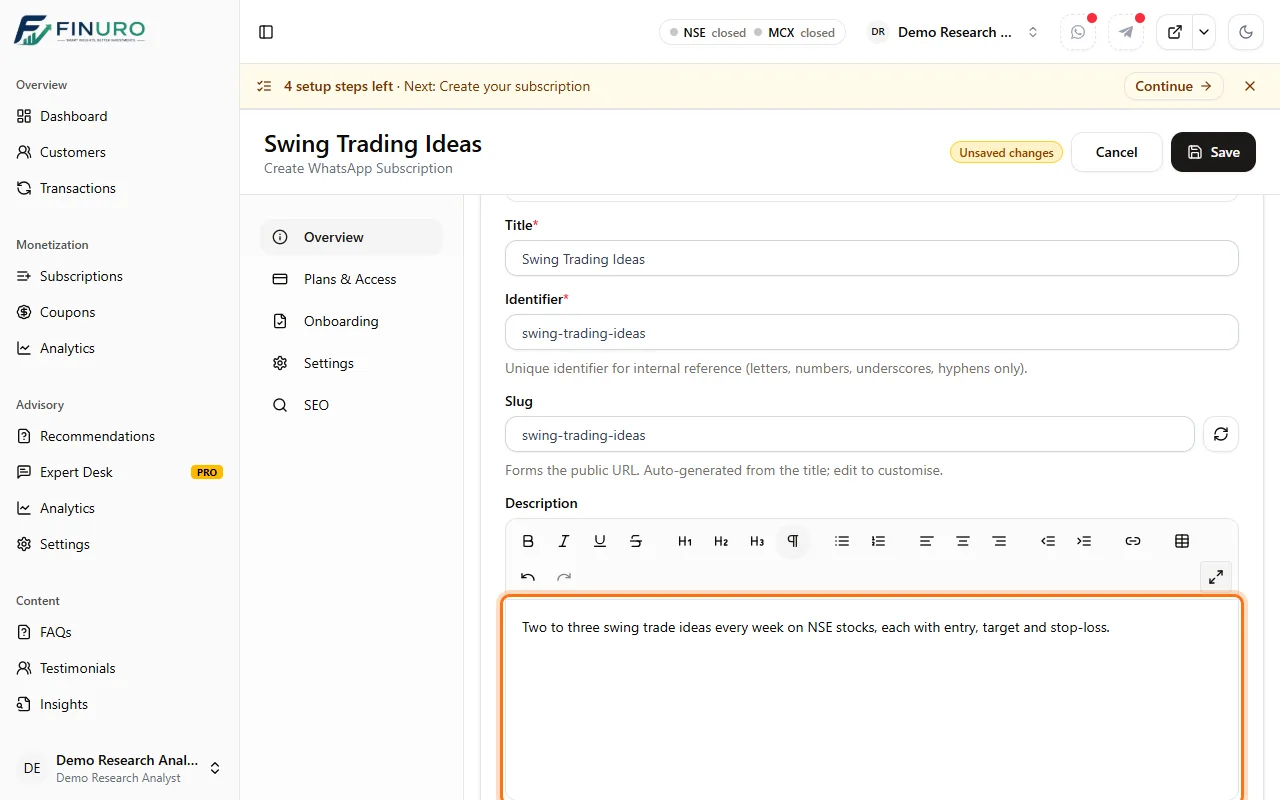 Click Save & Next at the bottom. Your subscription is saved and the next tab opens. 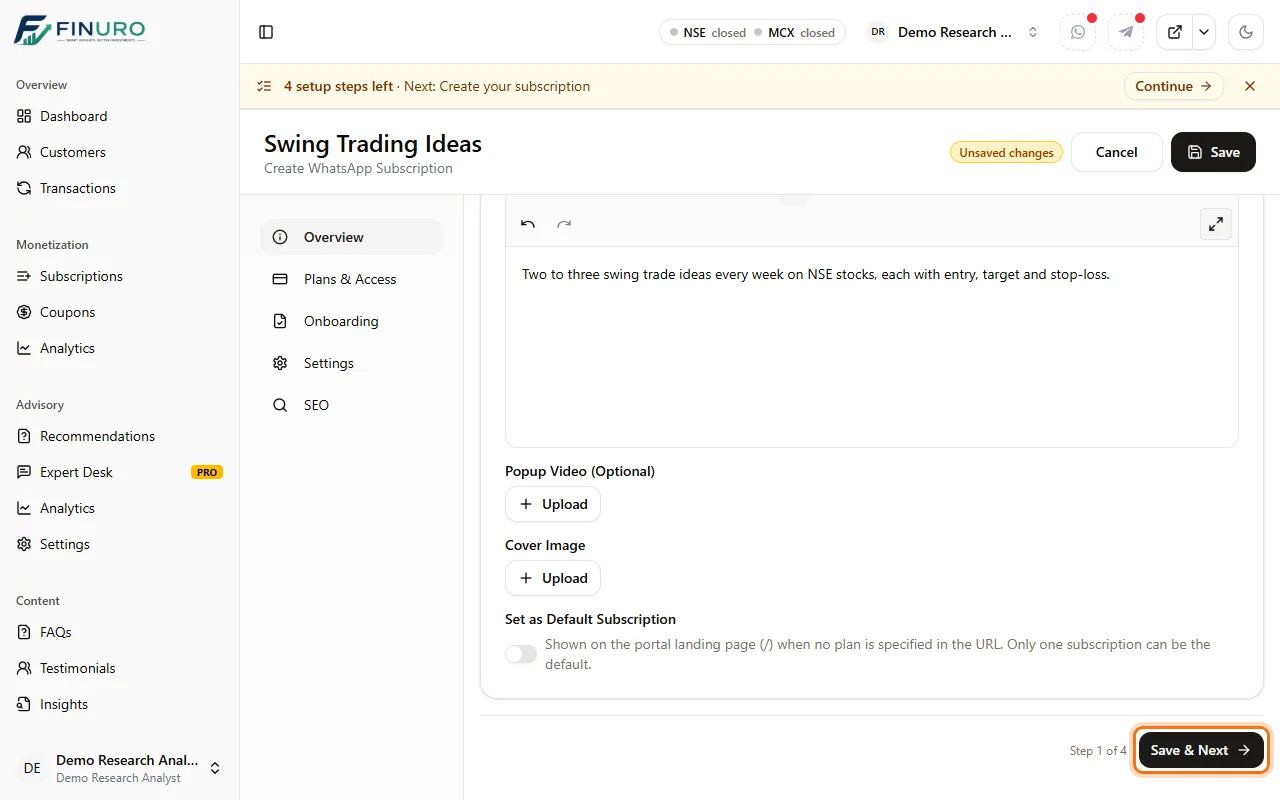 Step 3: Plans & AccessClick Add your first plan. 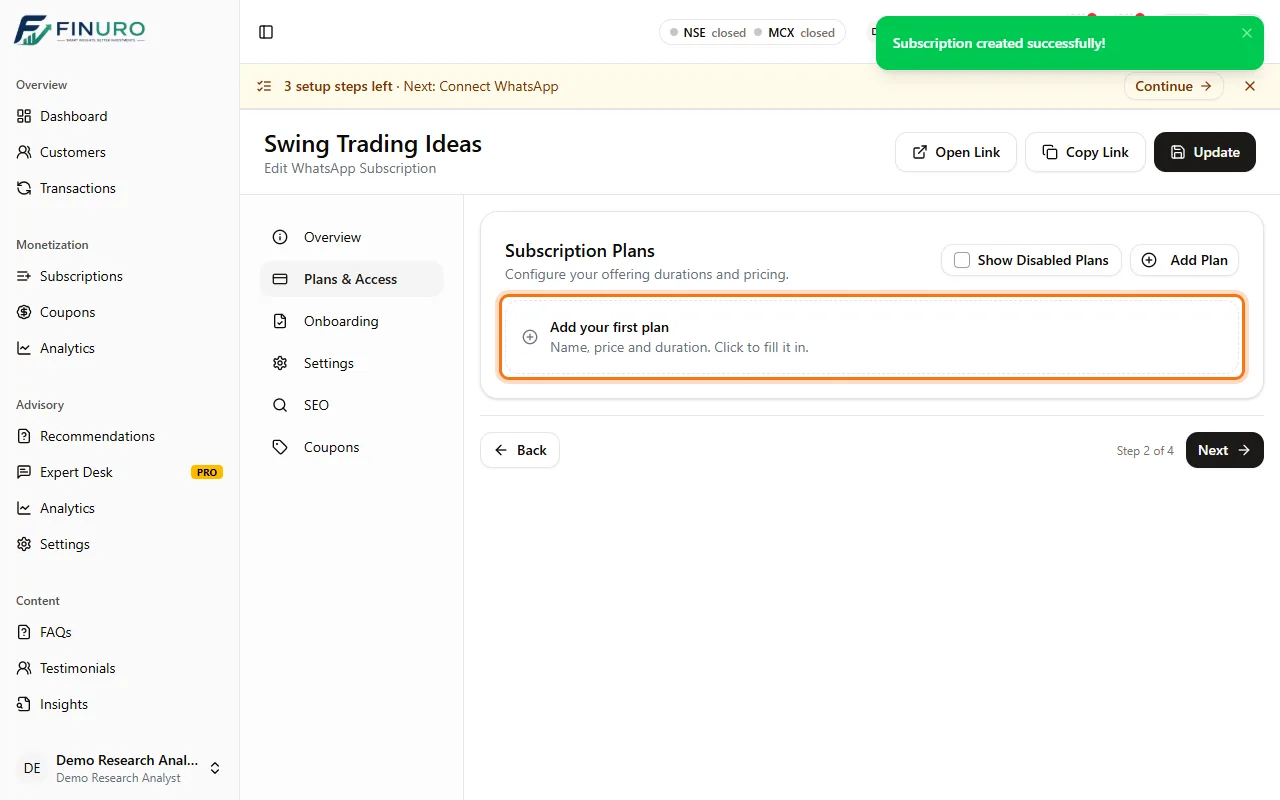 In the Add plan panel:
Click Save in the panel. 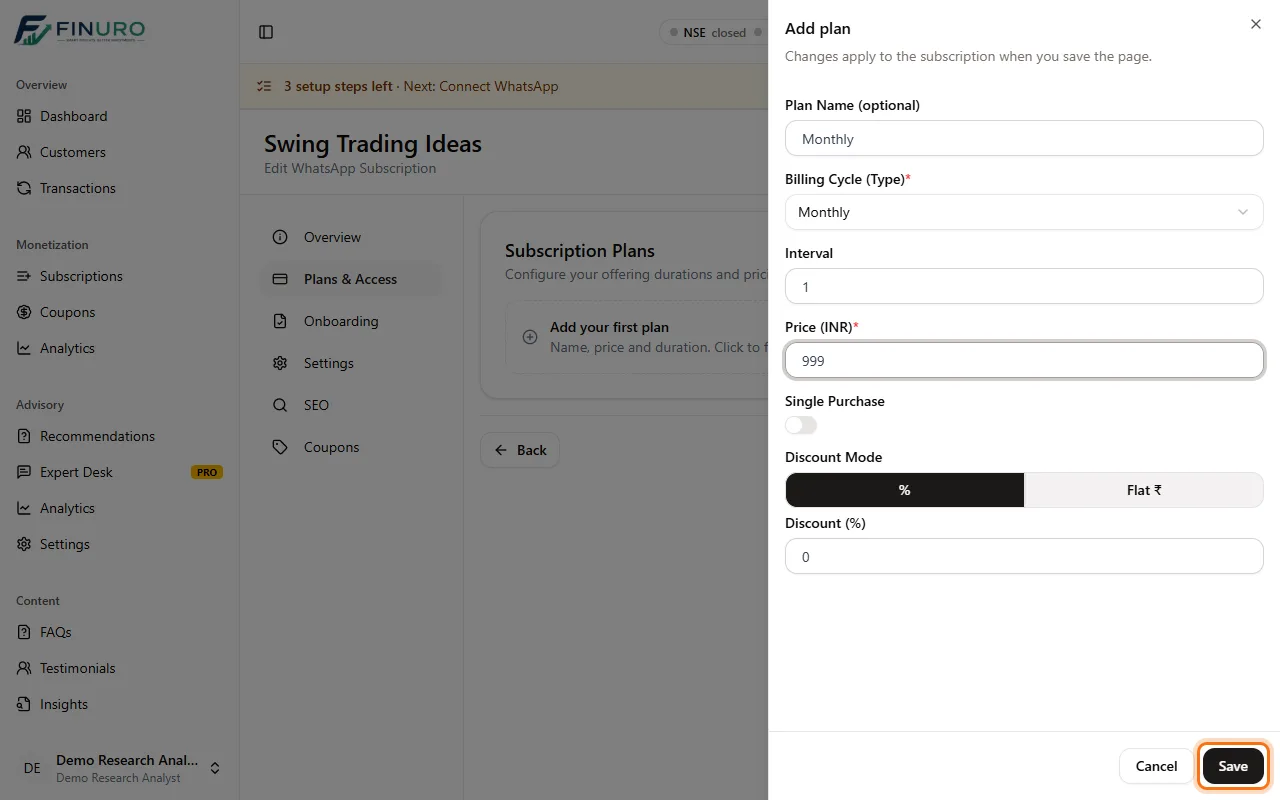 Your plan appears in the list. Add more for other durations (for example quarterly or yearly), then click Save & Next. 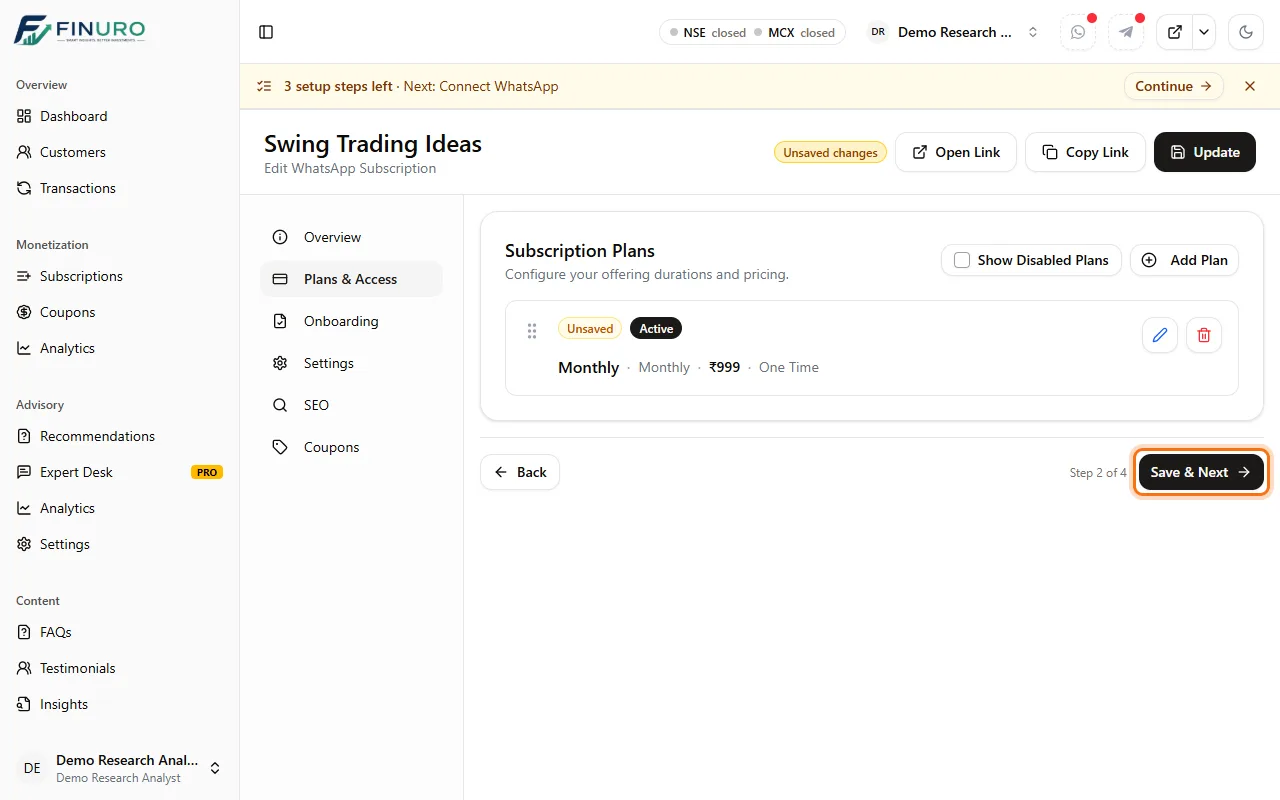 Step 4: OnboardingThese are the steps every new subscriber completes before joining. KYC and MITC (the e-signed key terms) are on by default, followed by Payment, which is always included. Drag a step to change the order, or switch it off. If nothing changed on this tab, the button reads just Next. 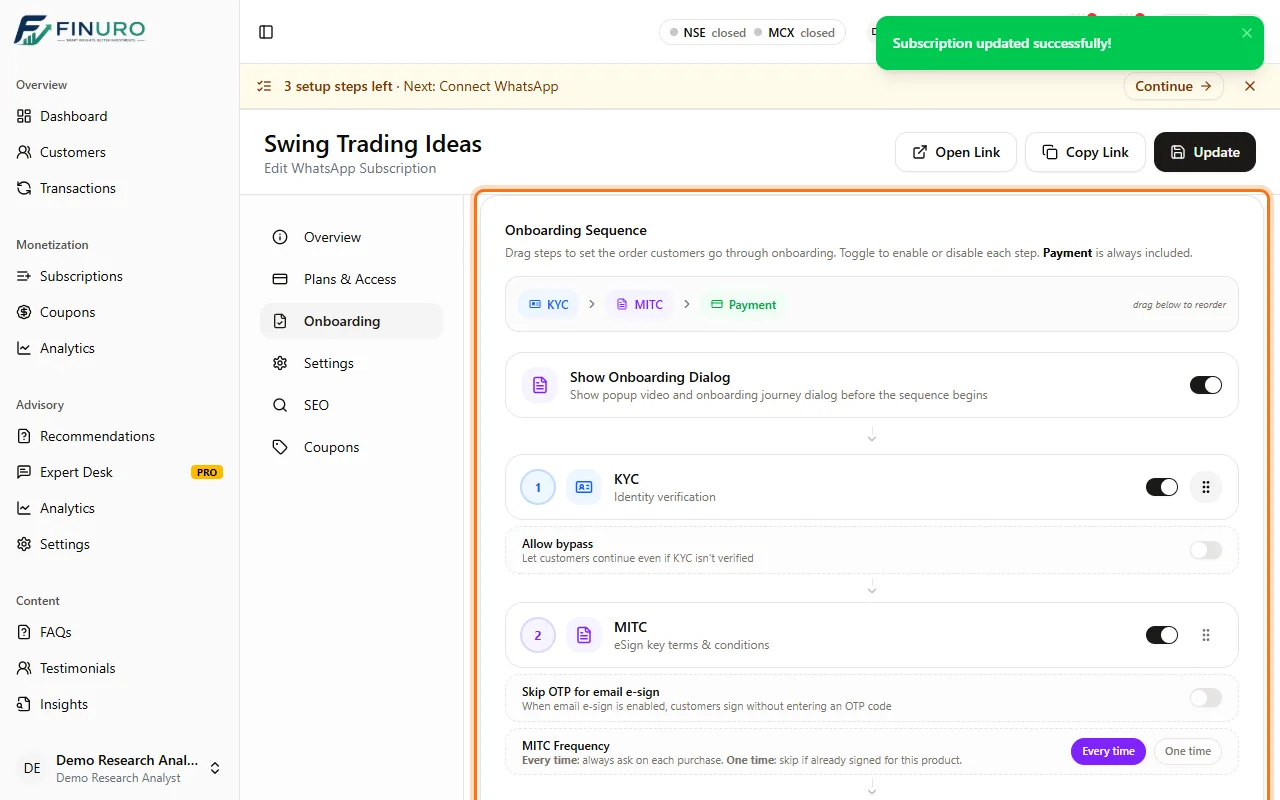 Step 5: Settings, then Save & FinishChoose which sections show on your subscription page (About, FAQ, Insights, Testimonials). Under Communication Channels you link the WhatsApp group subscribers join; you can do that once WhatsApp is connected. 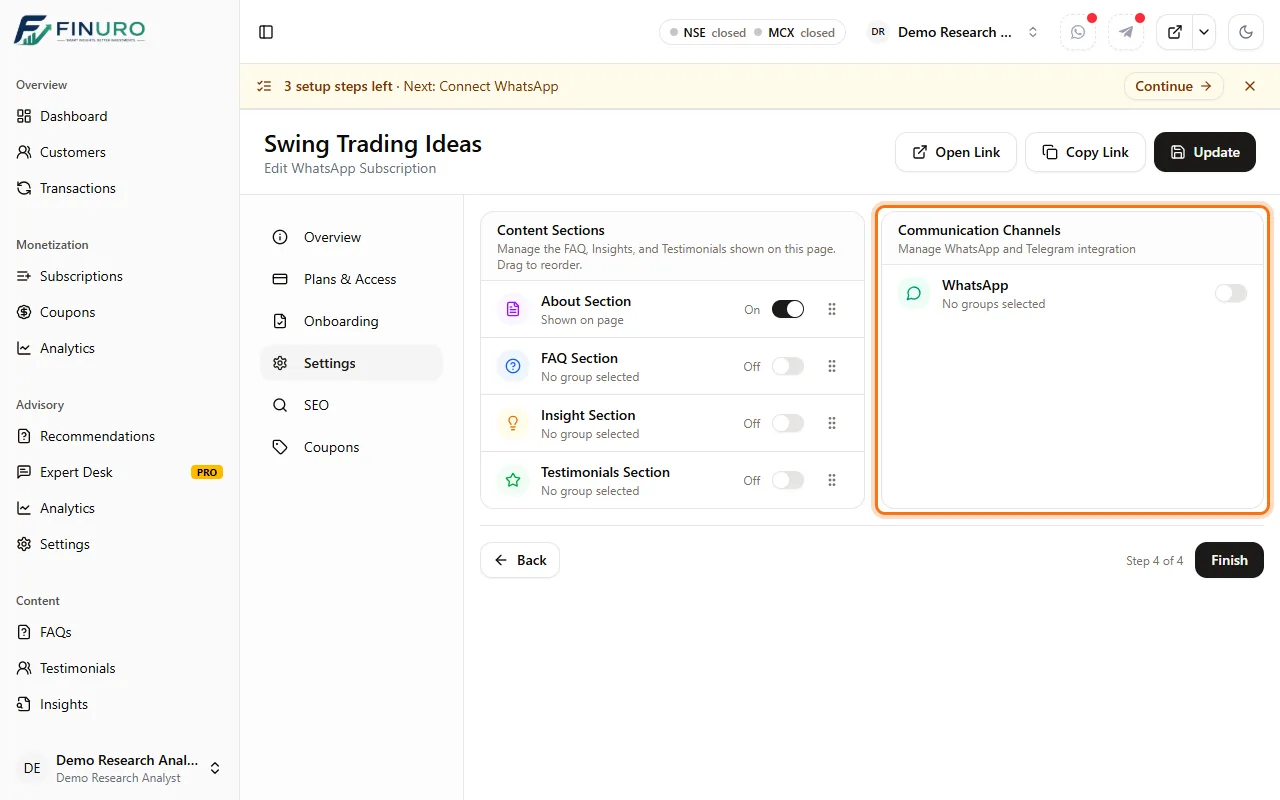 Click Save & Finish. 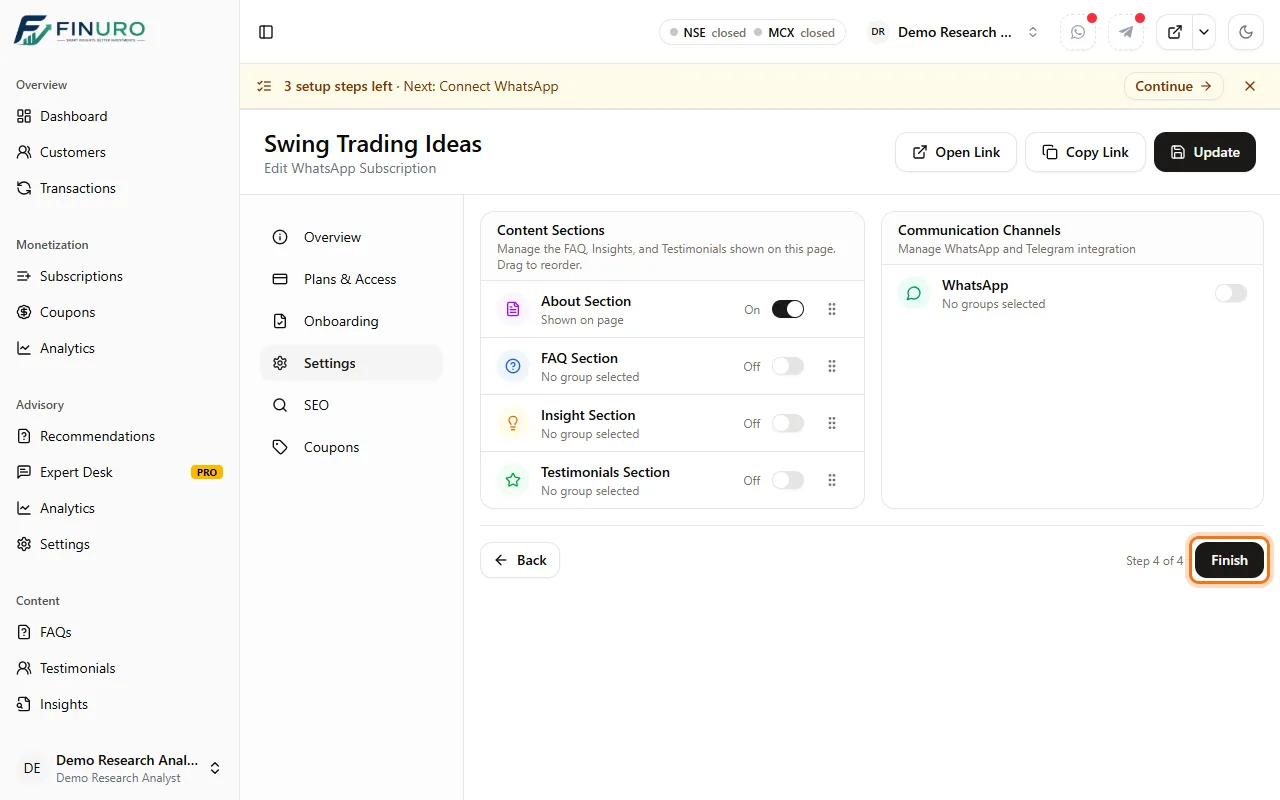 Your subscription is readyIt appears in the Subscriptions list with its plans, its channel and its onboarding steps. Use the icons next to the title to open or copy its public link. 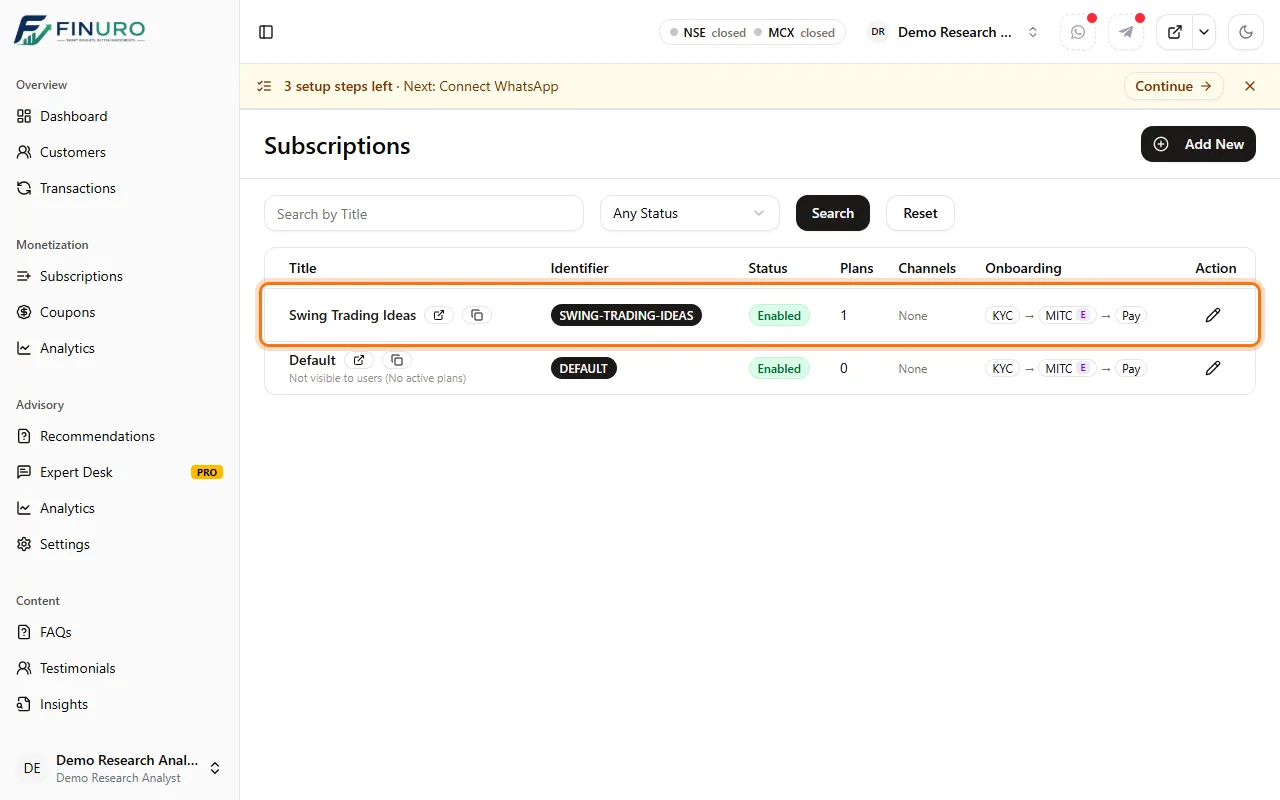 On your dashboard, Create your subscription is now ticked off, and the next step is to connect WhatsApp. 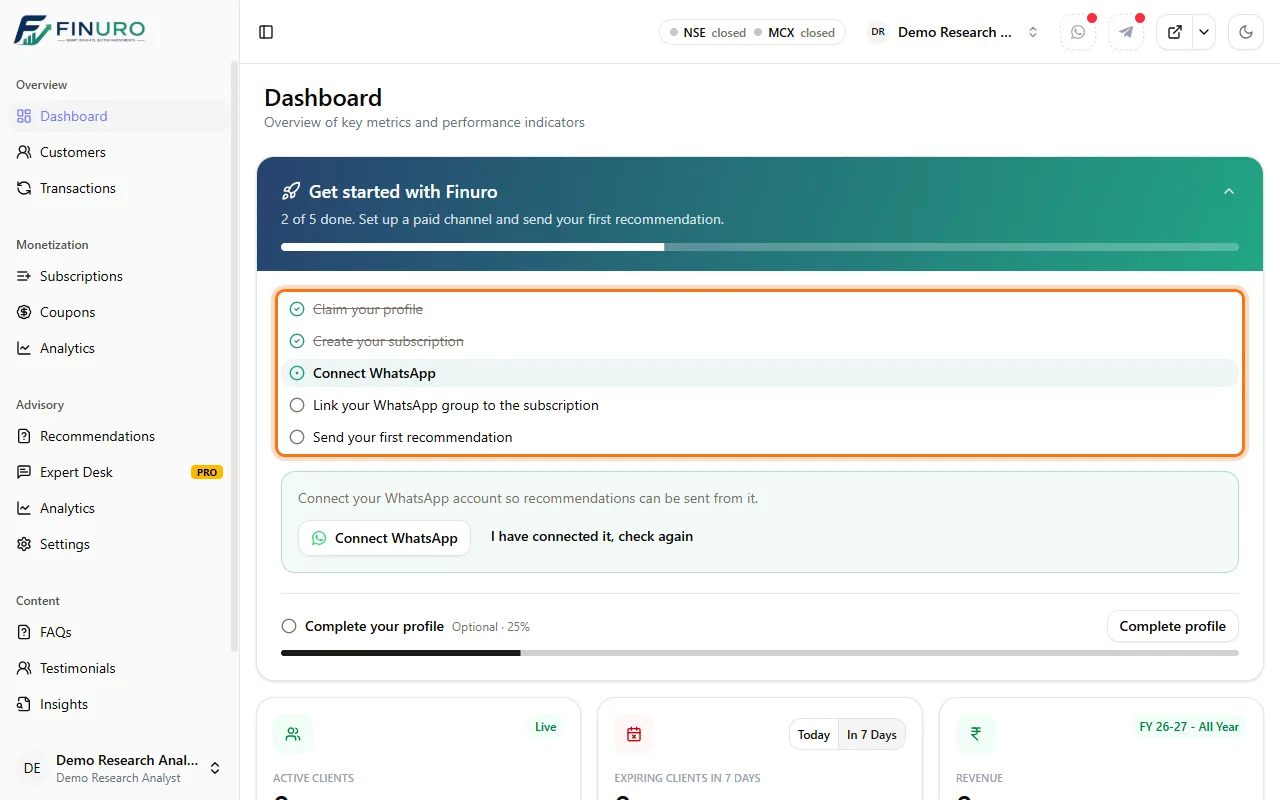 Troubleshooting
What's nextNext guide: Connect WhatsApp: connect your WhatsApp account so recommendations go out from it, then link your group to this subscription. |

Book a Demo
See how Finuro handles onboarding, recommendations, model portfolios, and billing for your advisory firm. Tell us a little about your practice and we'll walk you through the platform on a live call.