Share your subscription link: what your client seesOnce your subscription is ready, share its link. Here's exactly what a new client goes through, from your link to your WhatsApp group, so you can guide them and answer their questions. Last updated: 15 November 2026 Before you start
Step 1: Your subscription pageClients see your offering, your plans and prices, and a BUY NOW button on each plan. 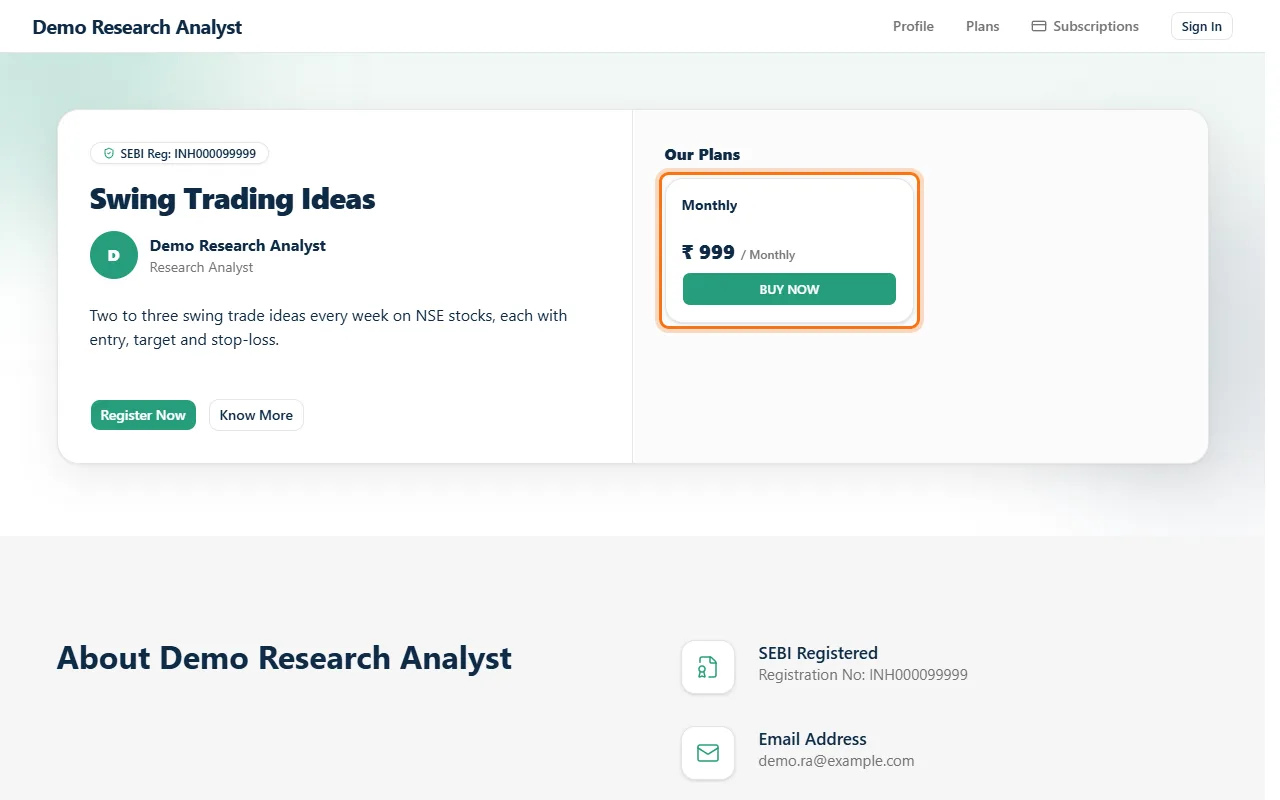 Step 2: Sign in with a one-time codeThey enter their mobile number and get a code by SMS or WhatsApp. No password needed. 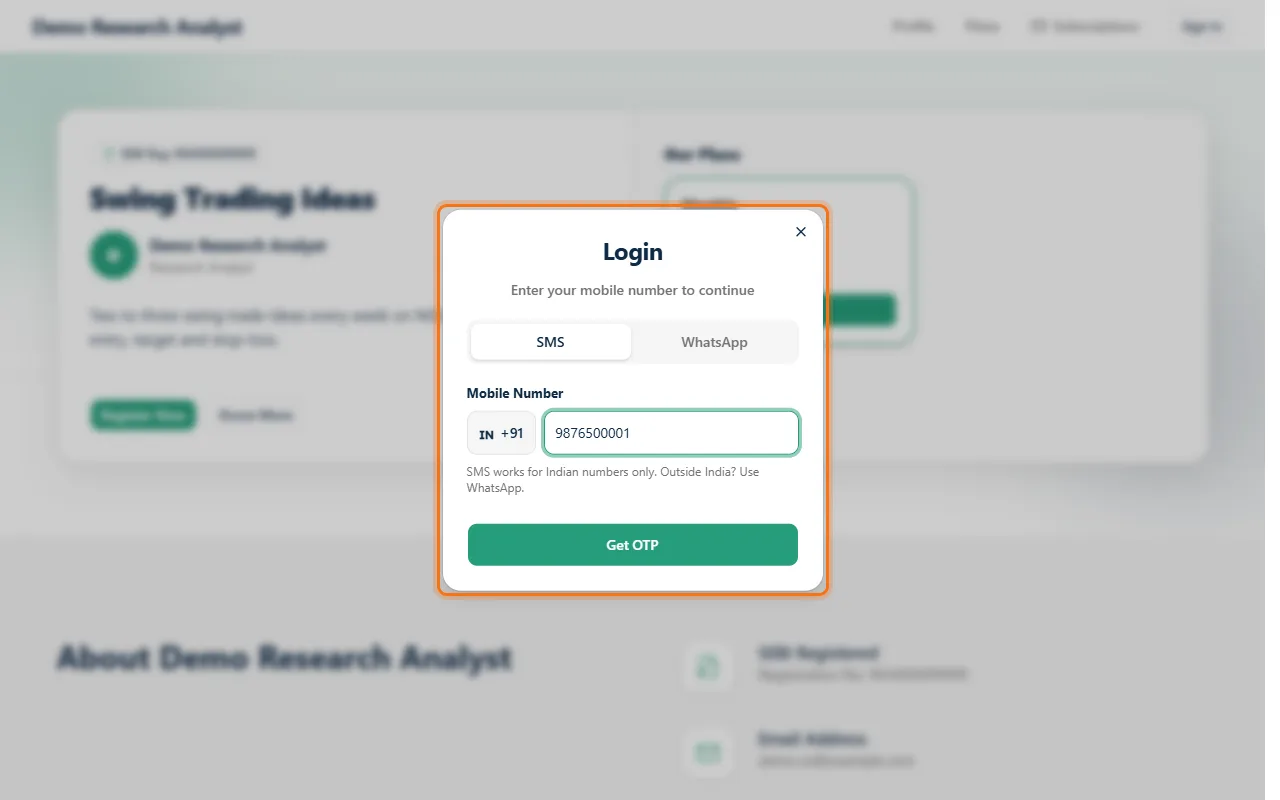 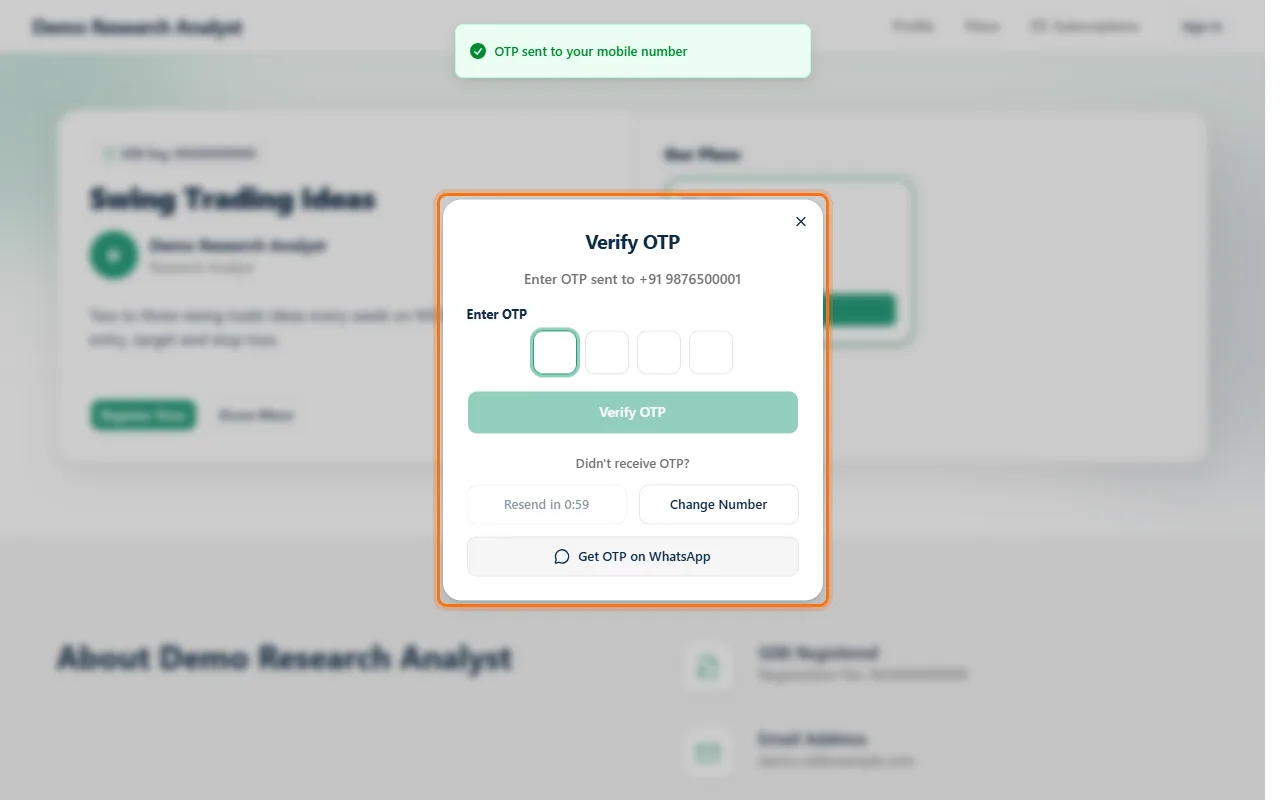 Step 3: Their detailsThe first time, they add their name, email, WhatsApp number and state (GSTIN is optional, for business invoices). 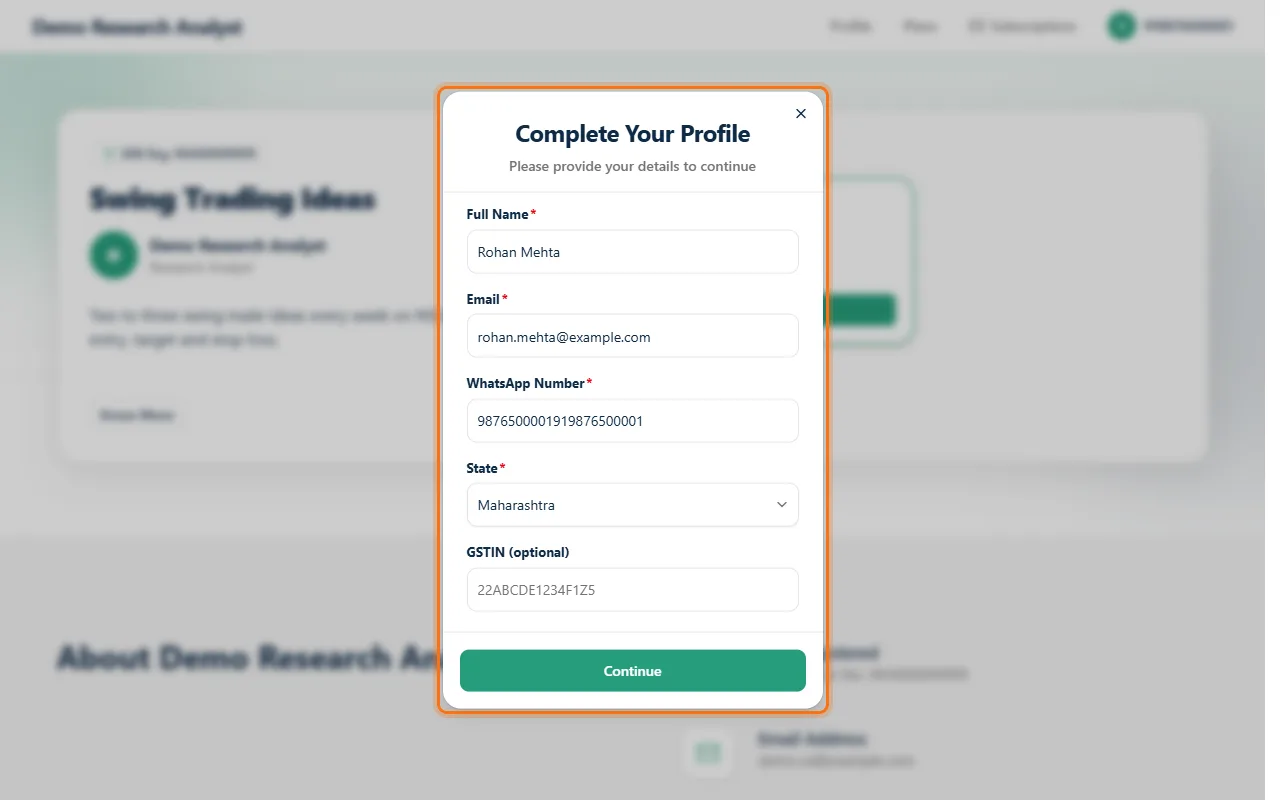 Finuro then shows the steps ahead, in the order you set in the subscription's Onboarding tab. 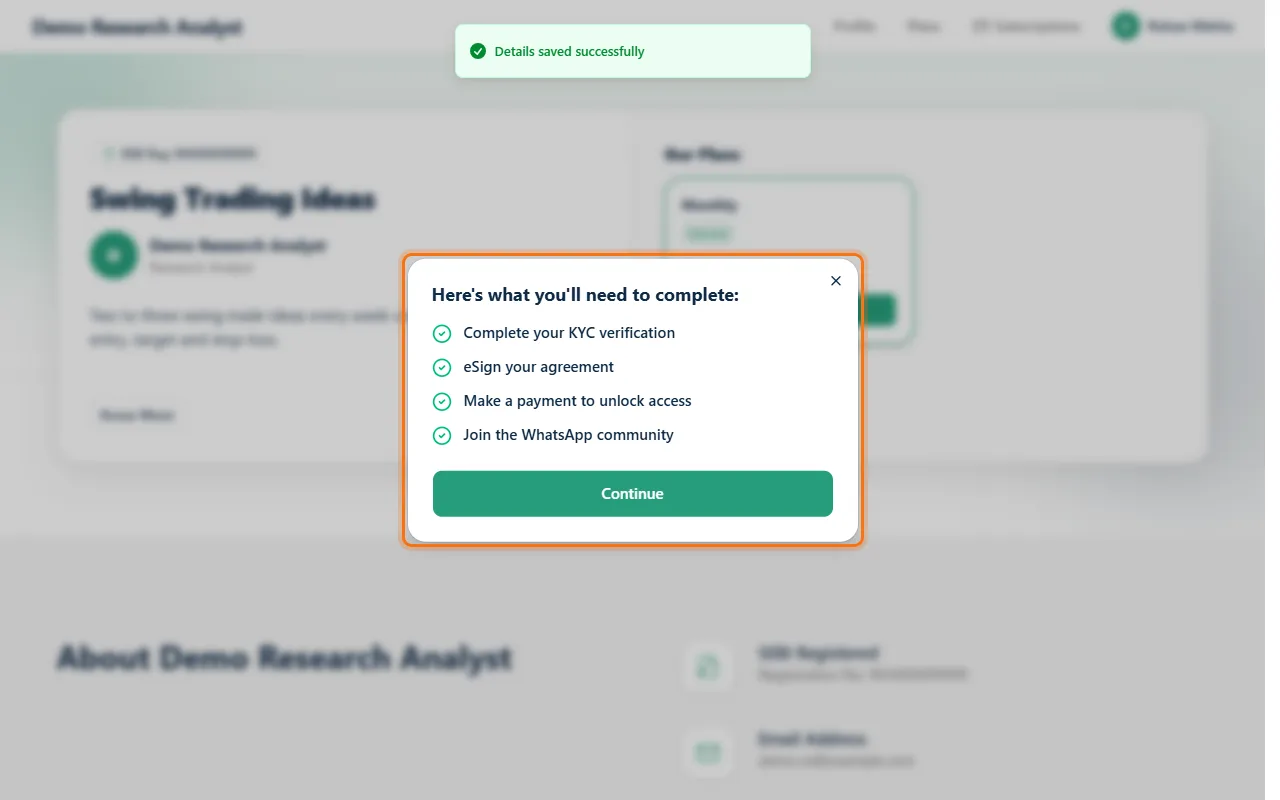 Step 4: KYCThey enter their date of birth and PAN. With KRA activated, Finuro checks their KYC with the KRA automatically. 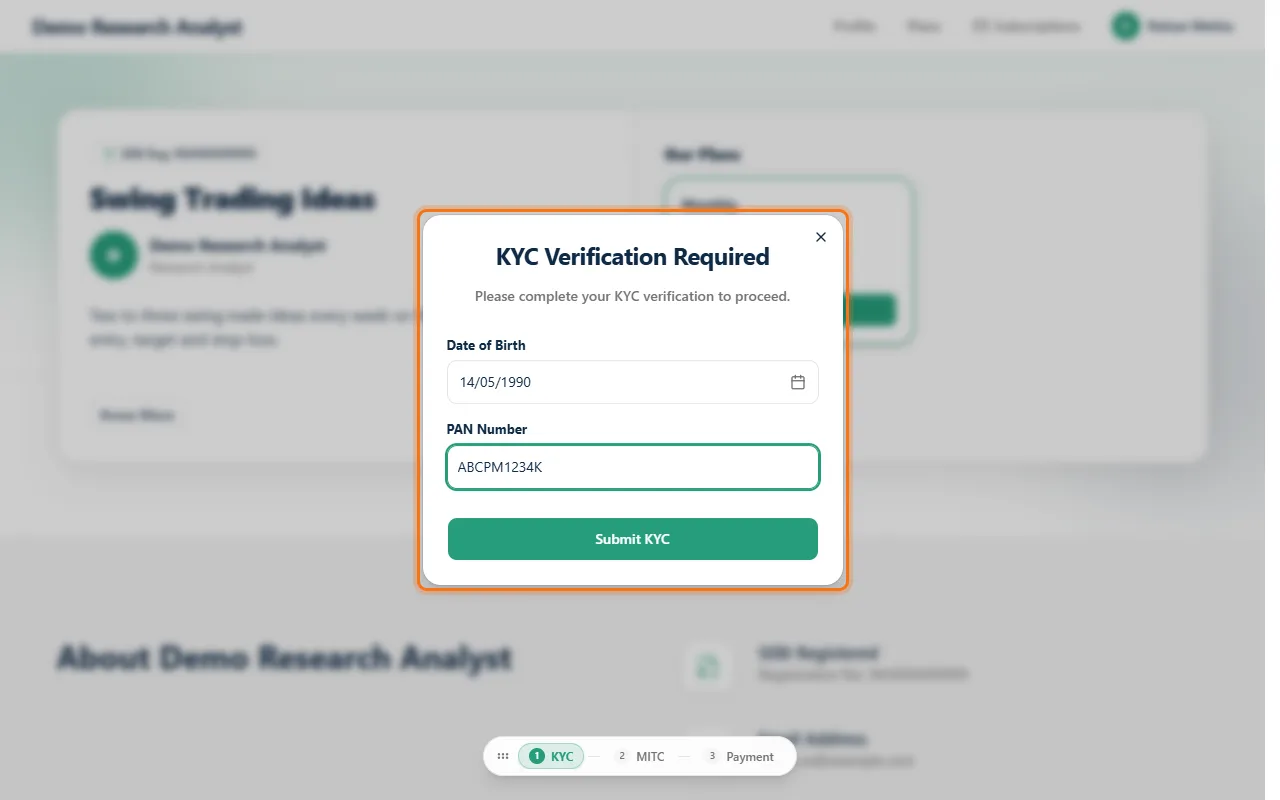 Step 5: Sign your terms (MITC)They sign your Most Important Terms and Conditions. With email e-sign, they click Start Verification, read the agreement with their details filled in, and verify with a code sent to their email. 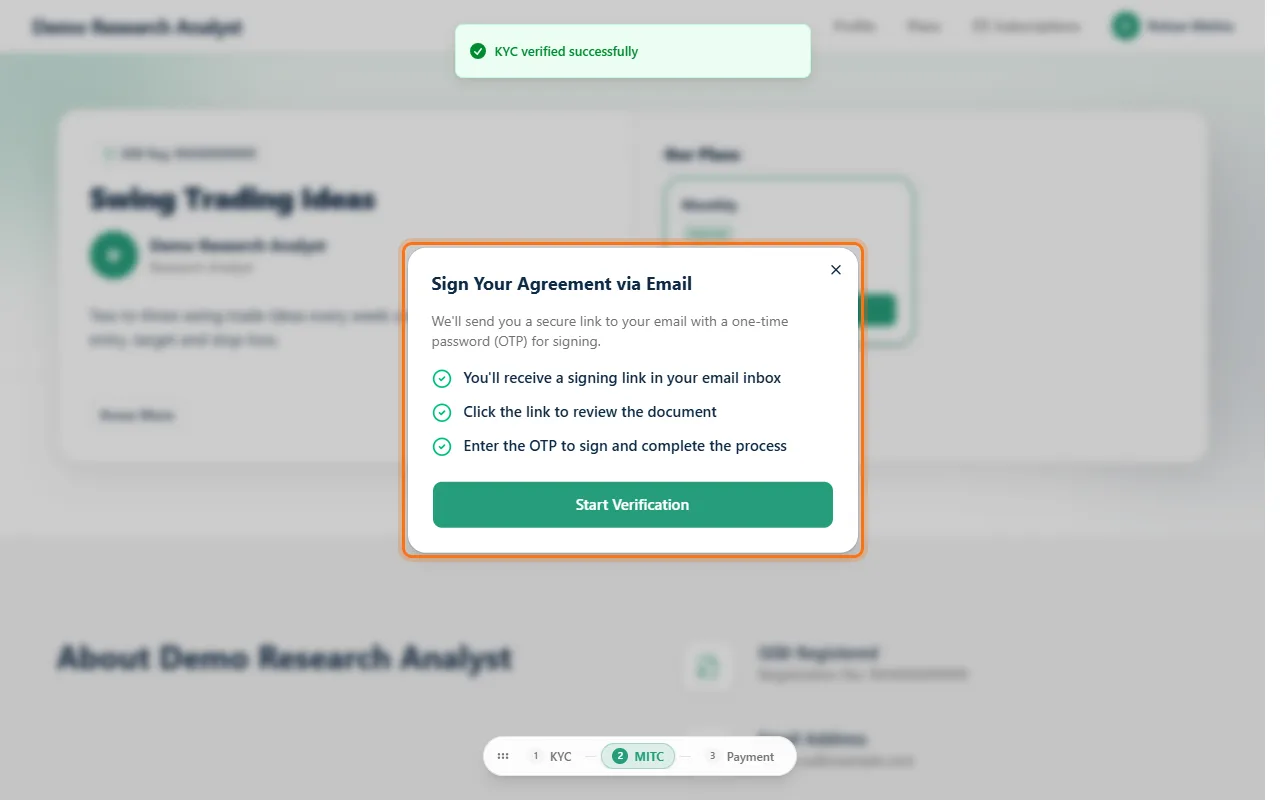 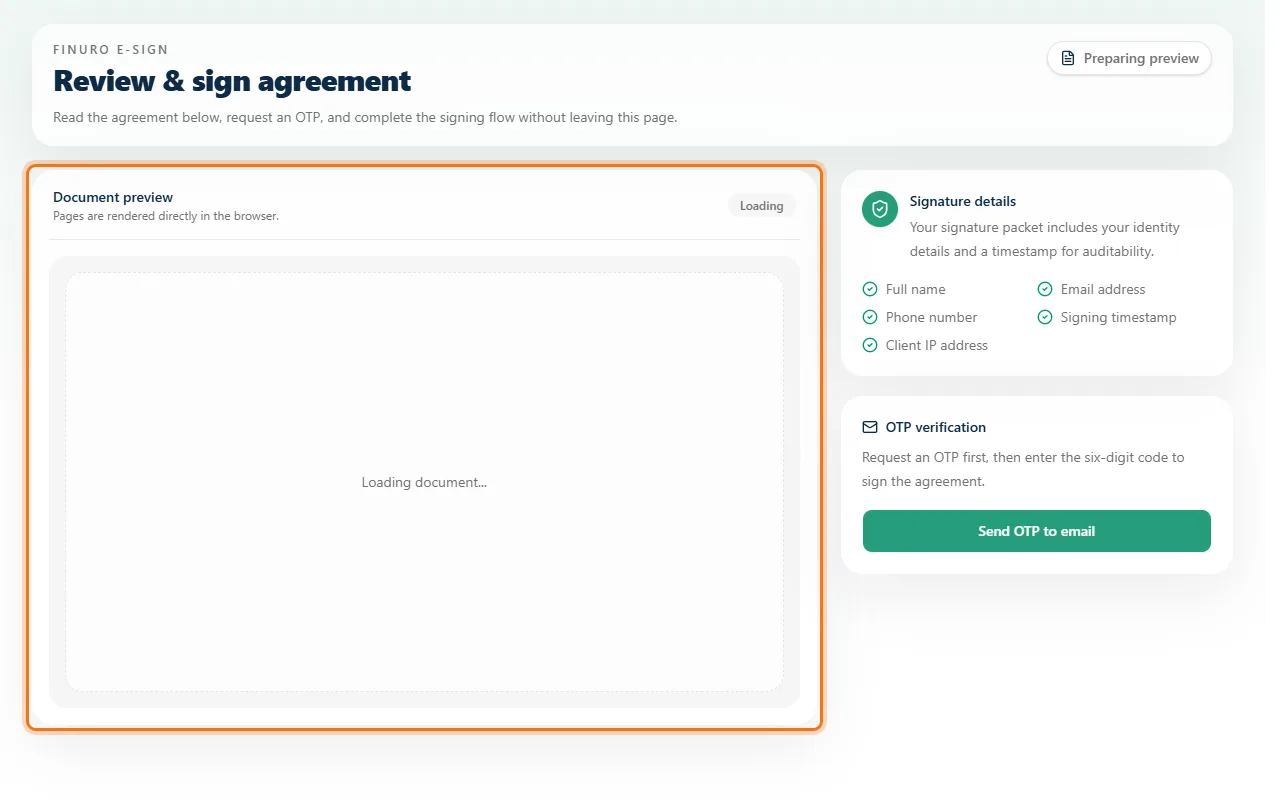 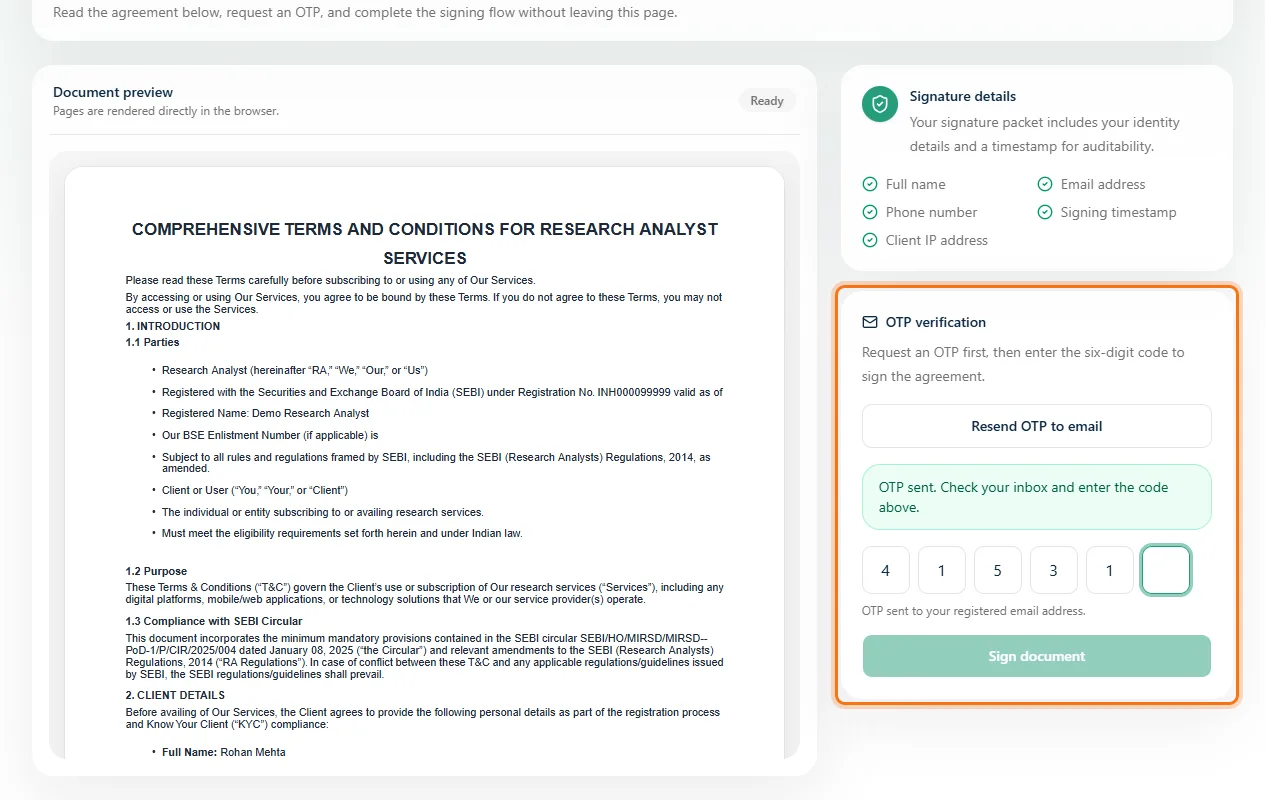 Step 6: PaymentThey confirm the plan and price, apply a coupon if they have one, and click Proceed to Pay. Payment happens on your payment gateway's secure checkout; once it's done they see Payment Successful!, and a GST invoice is generated if invoicing is on. 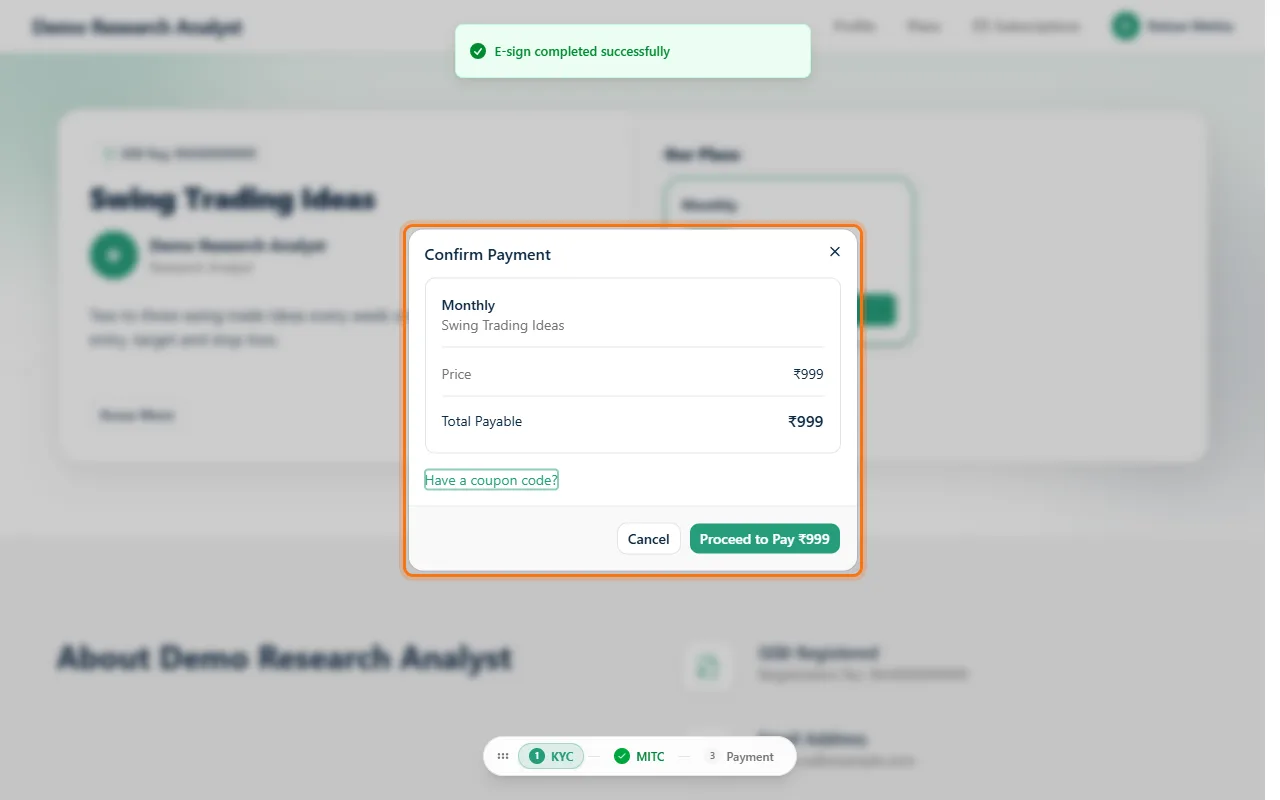 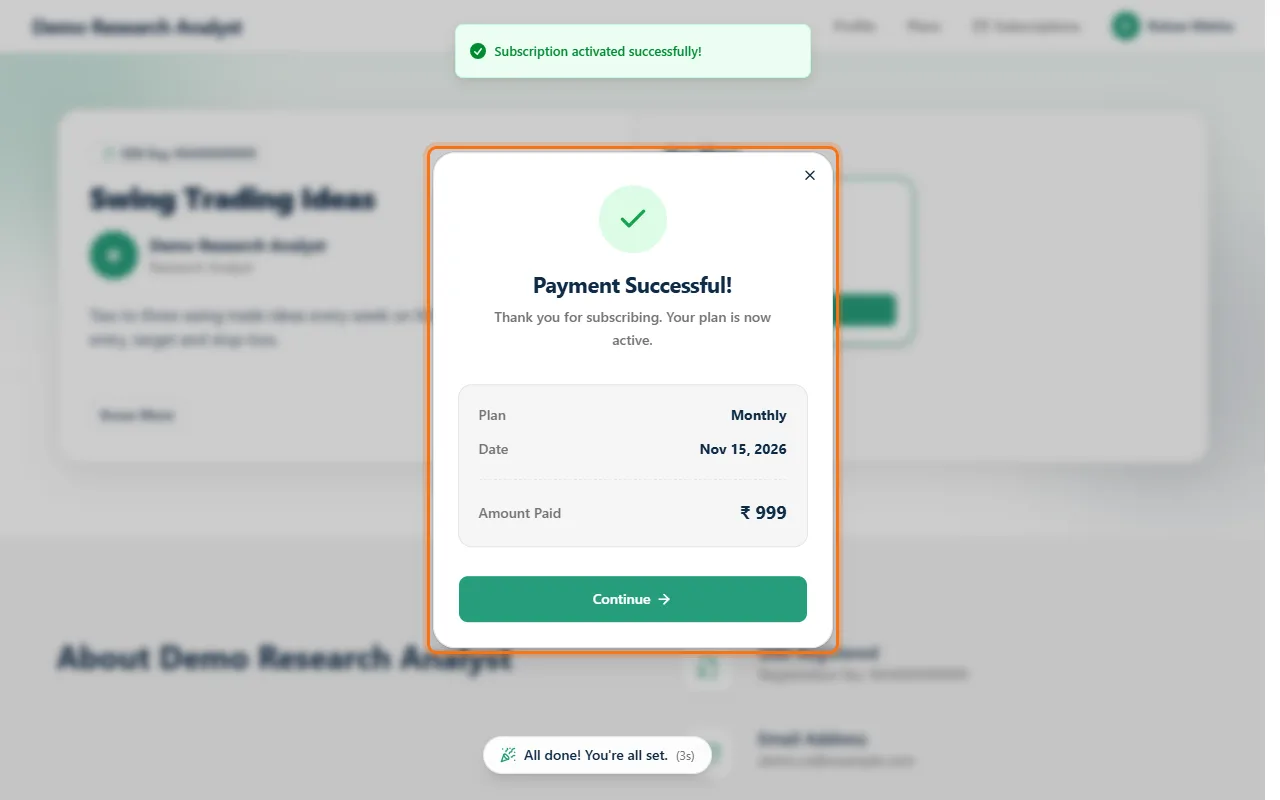 Step 7: Join your groupFinally they tap Join WhatsApp (or Telegram) and are added to your group. Your next research call reaches them. 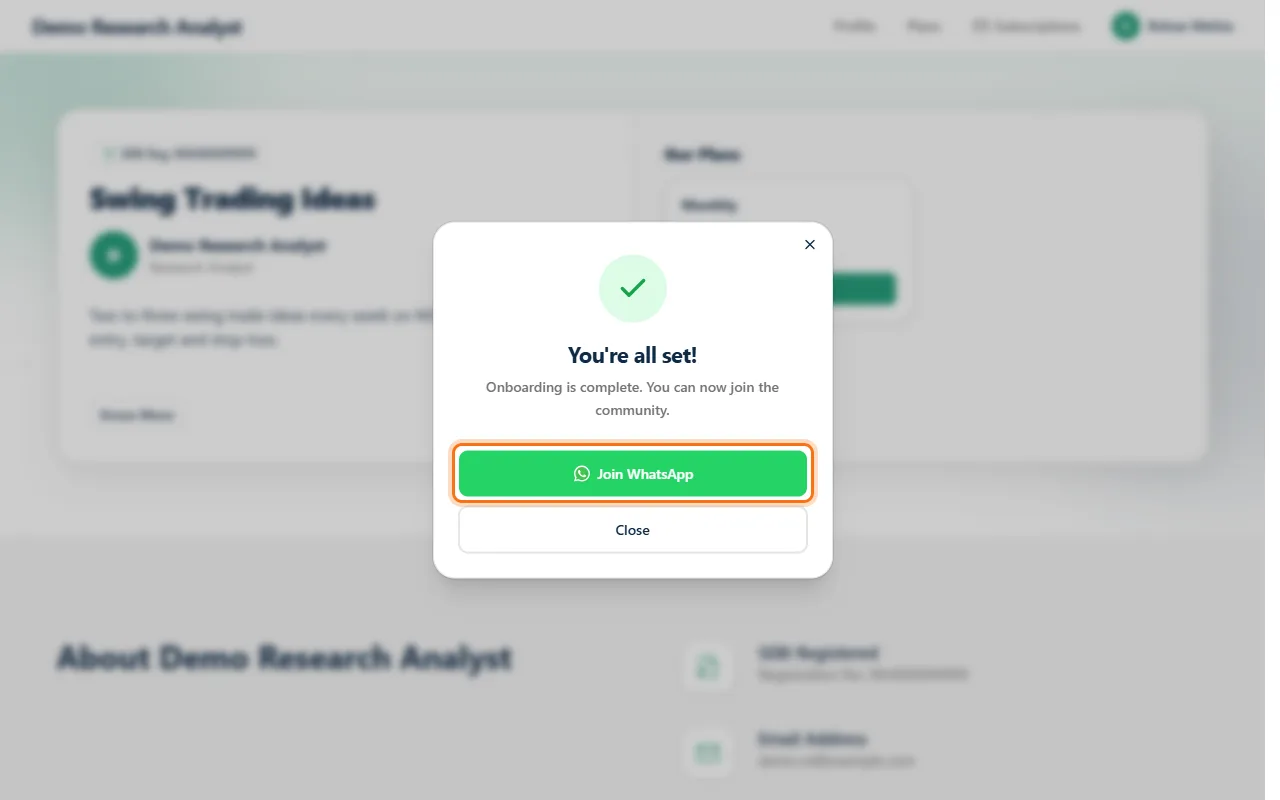 Questions clients ask
What's nextNext guide: Complete your public profile, so visitors trust you before they subscribe. |

Book a Demo
See how Finuro handles onboarding, recommendations, model portfolios, and billing for your advisory firm. Tell us a little about your practice and we'll walk you through the platform on a live call.