Connect Telegram and add your channel or group to a subscriptionDeliver your research on Telegram: connect the Telegram account that owns your channels once, then link the channel or group your paying subscribers join. Time needed: about 2 minutes · Last updated: 15 November 2026 Before you start
Part 1: Connect your TelegramStep 1: Open Connect TelegramOn the Get started card on your dashboard, click Connect Telegram. (You can also open Integrations from the menu, or click the Telegram icon at the top.) 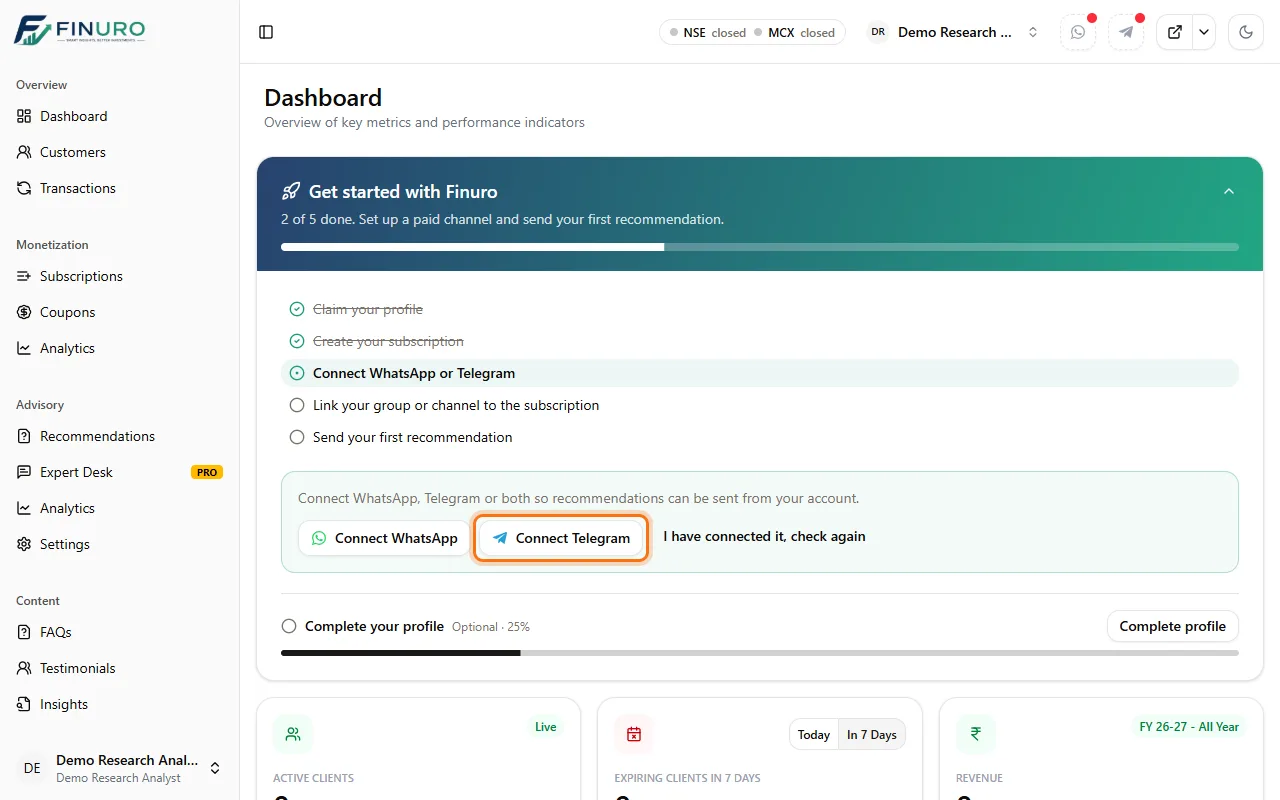 In the Telegram Paid Groups window, click Connect Telegram. 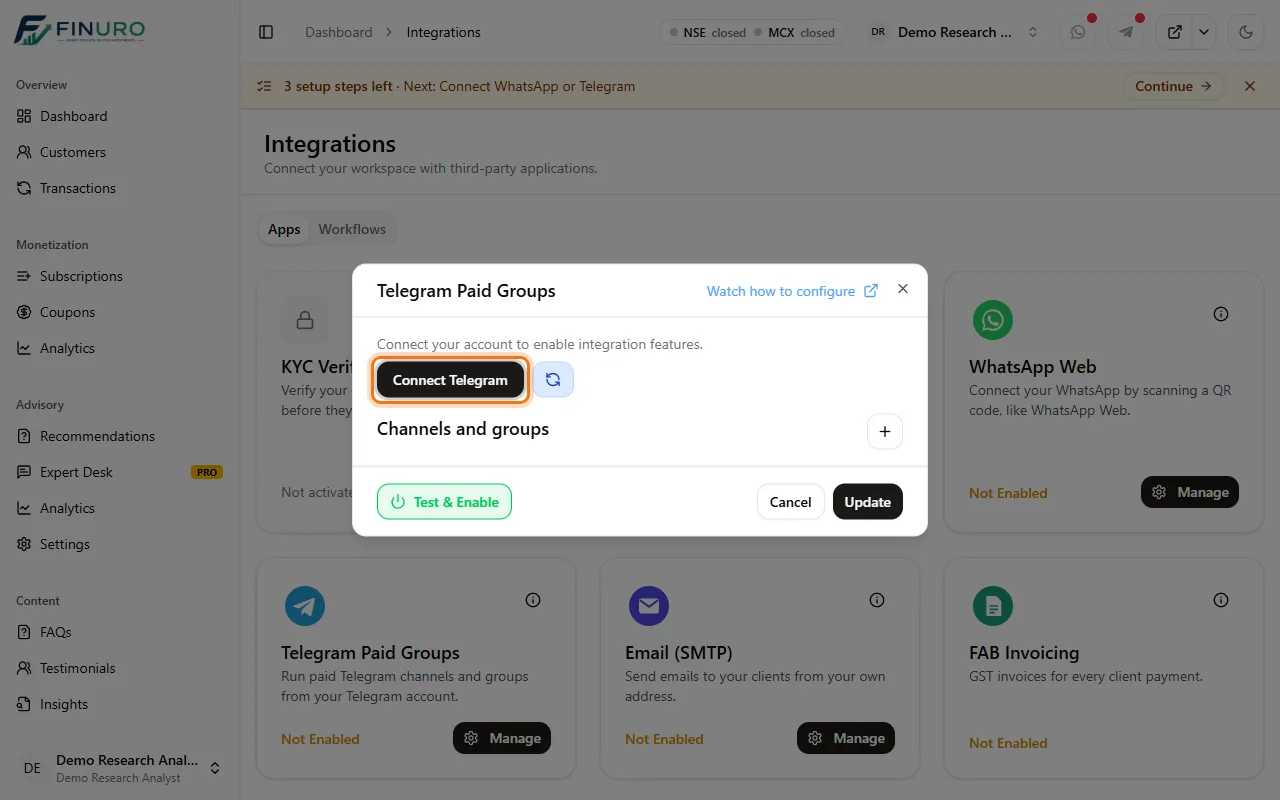 Step 2: Log in to TelegramEnter the phone number of your Telegram account and click Next. 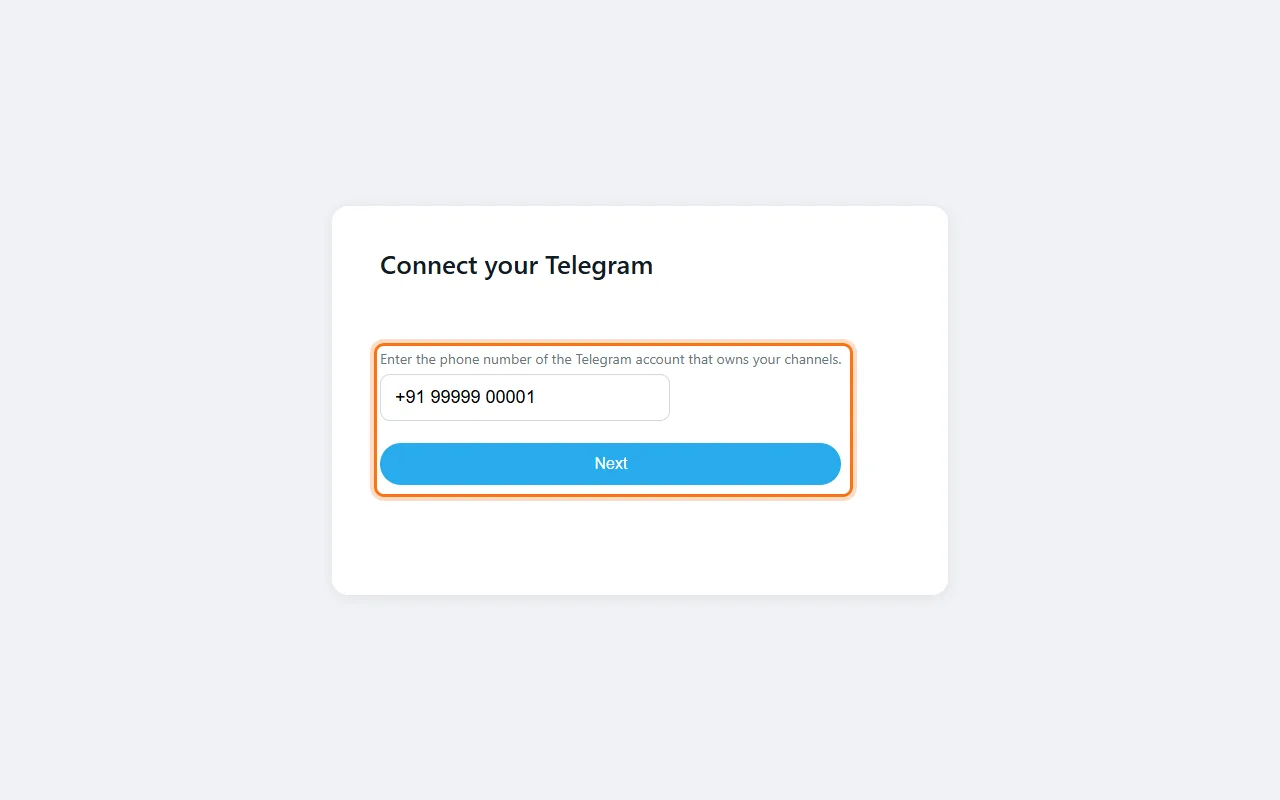 Telegram sends a login code to your Telegram app. Enter it and click Connect. 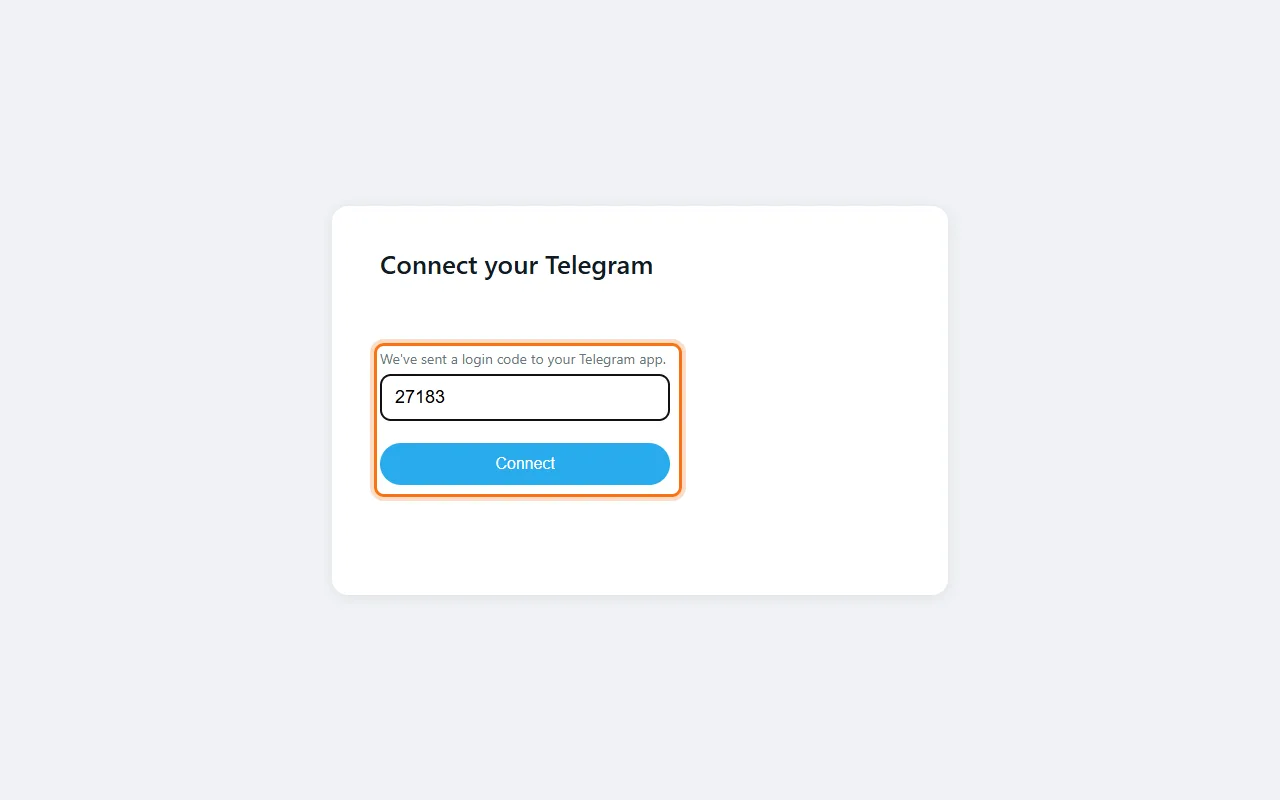 Step 3: Test & EnableYou're back in Finuro. Telegram shows ● Connected and lists your channels and groups. Click Test & Enable. The Telegram icon at the top turns green. 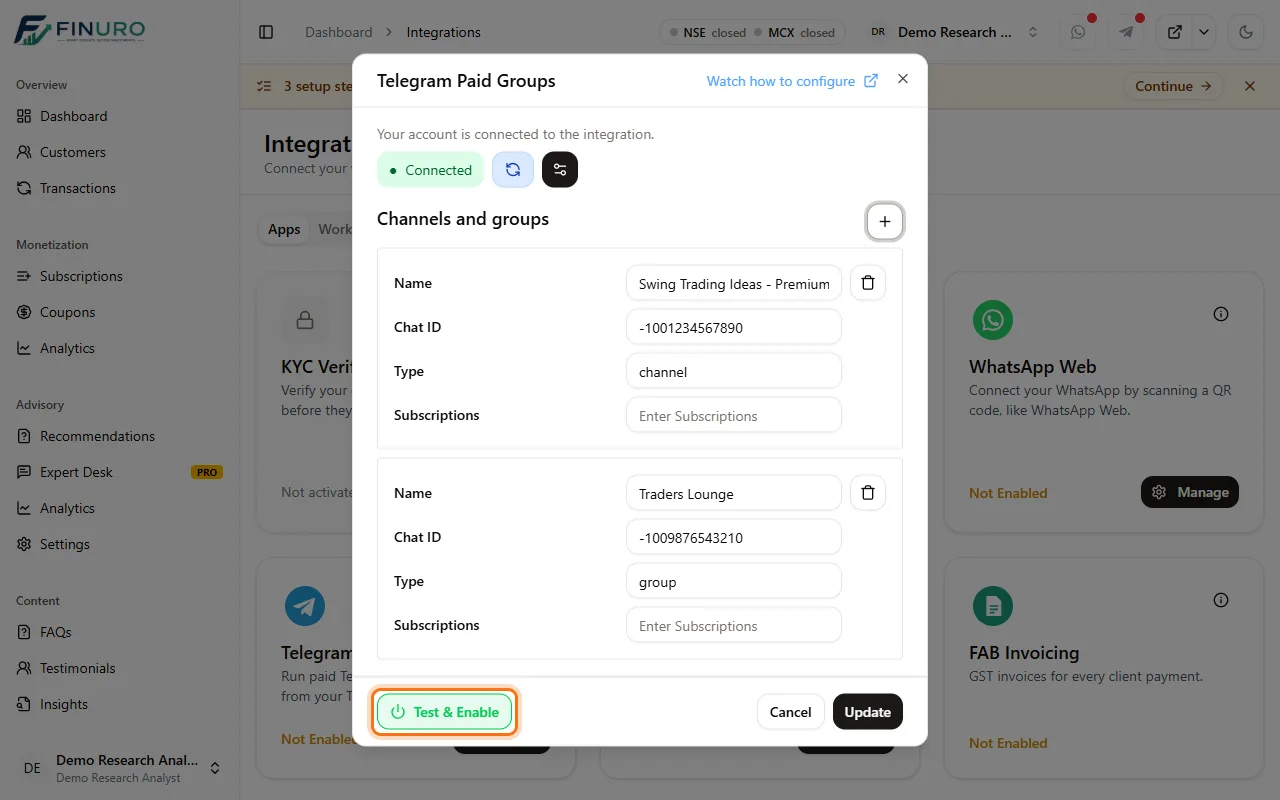 Part 2: Link your channel or group to the subscriptionStep 4: Switch Telegram onOpen Subscriptions, click the subscription you deliver on Telegram, and go to the Settings tab. Under Communication Channels, switch Telegram on. 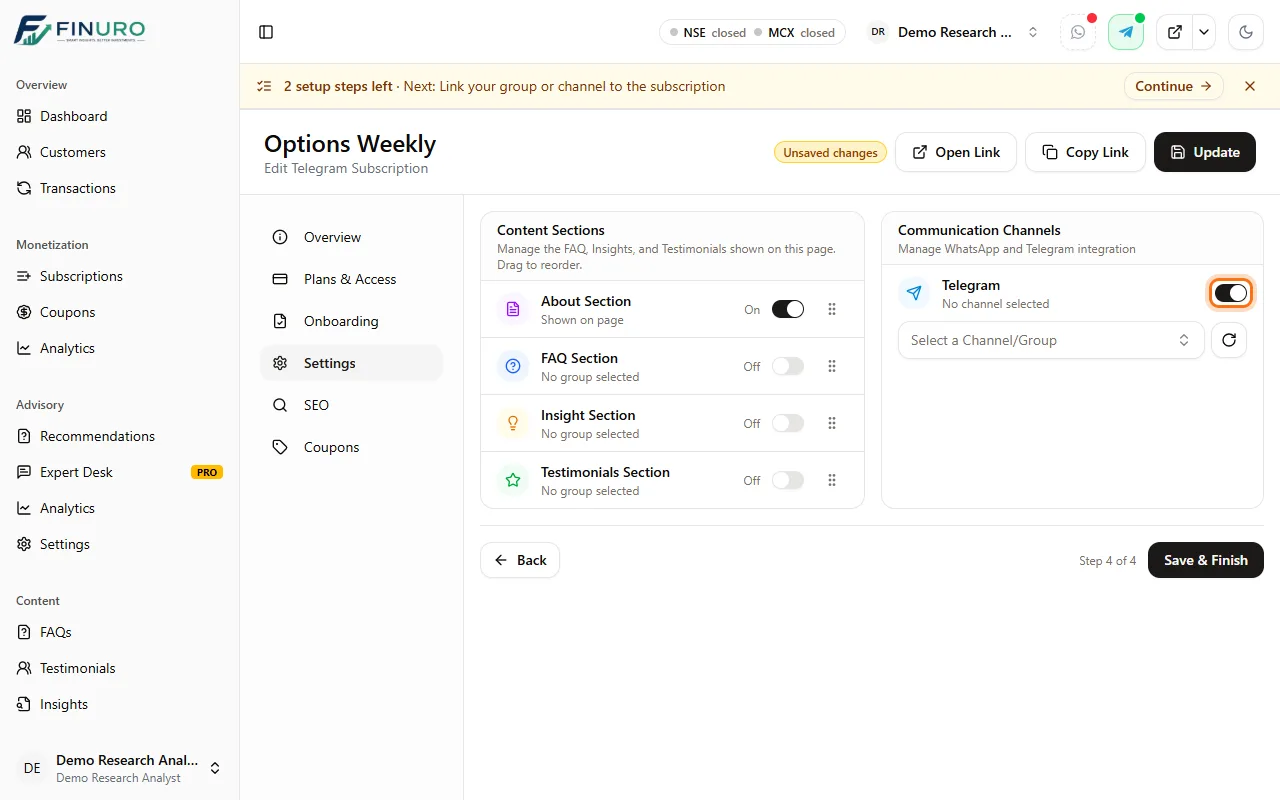 Step 5: Pick the channel or groupChoose the channel or group subscribers should join (channels show a megaphone icon). Then click Save & Finish. 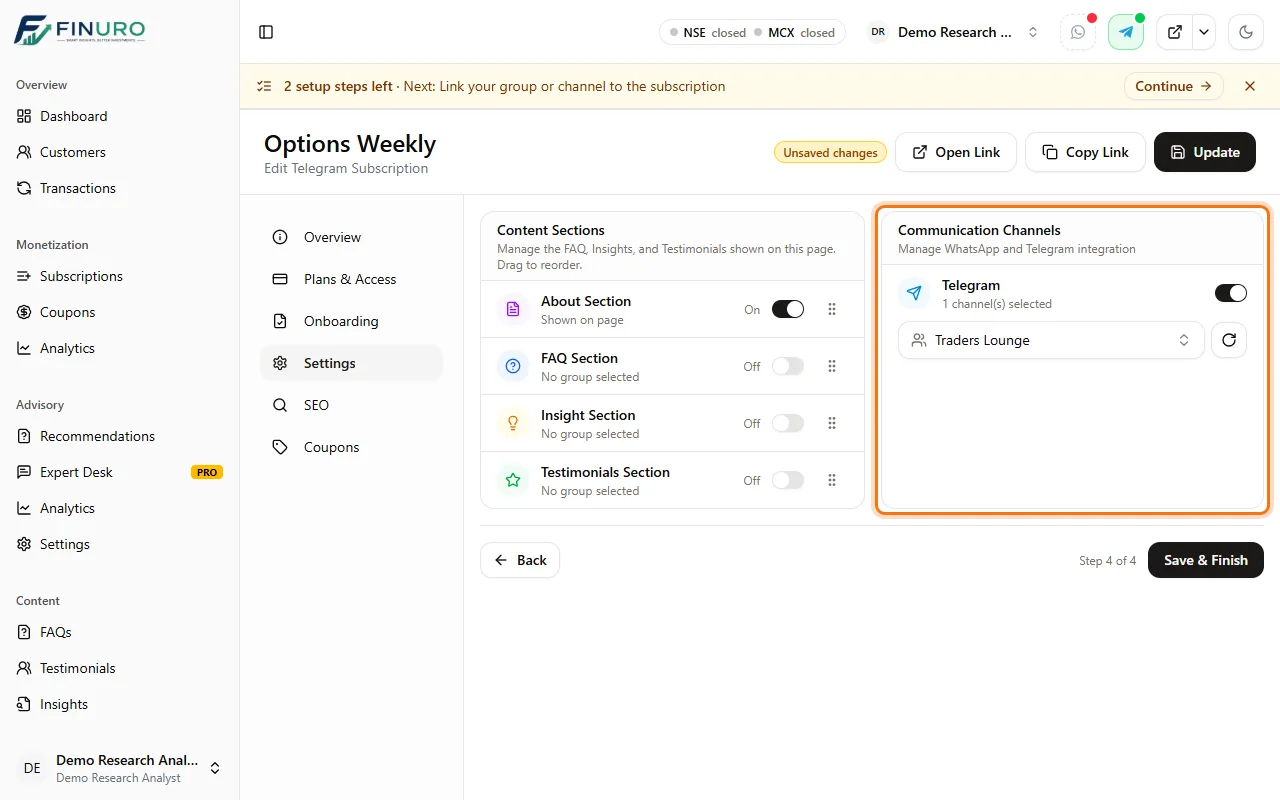 Check it's linkedIn Subscriptions, the Telegram icon in the Channels column is now blue. Hover over it to see the linked channel or group. 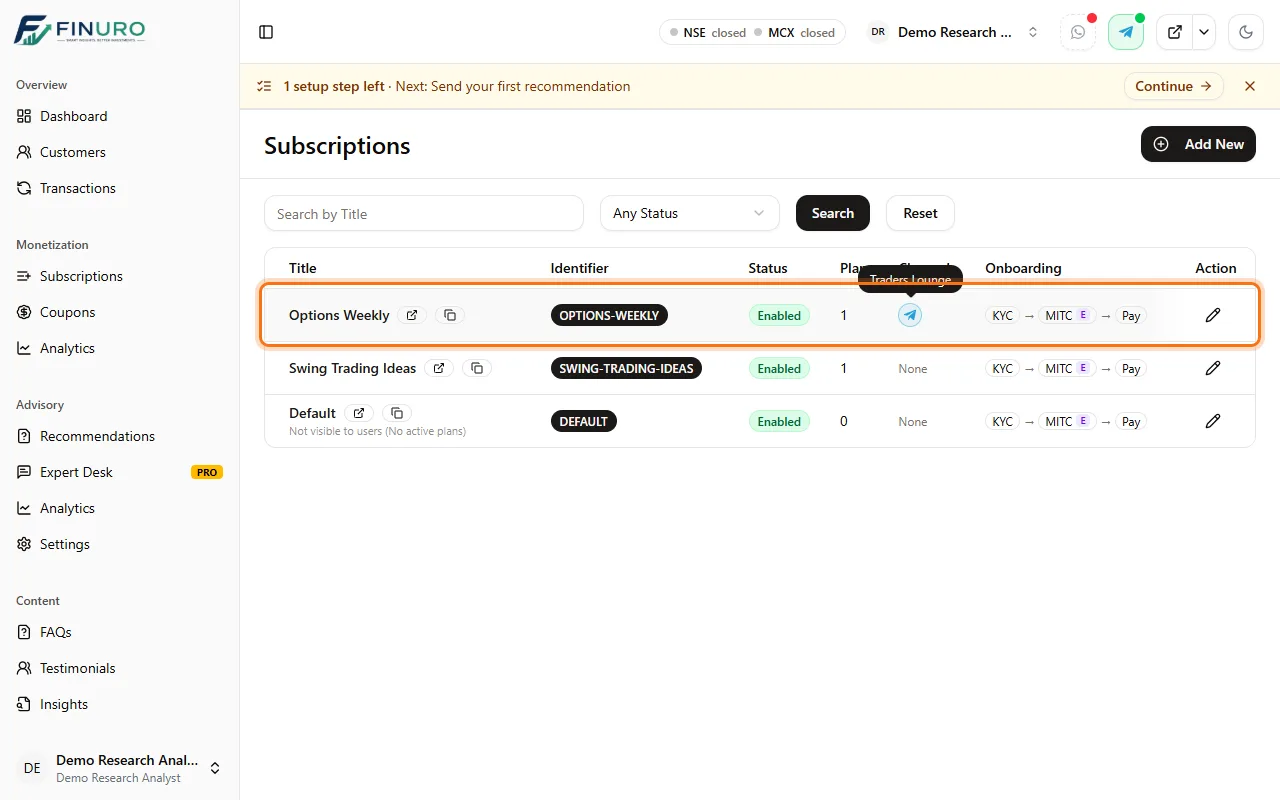 Troubleshooting
What's nextNext guide: Send your first research call: publish a recommendation to your subscribers. |

Book a Demo
See how Finuro handles onboarding, recommendations, model portfolios, and billing for your advisory firm. Tell us a little about your practice and we'll walk you through the platform on a live call.