Send your first research call to subscribersA research call (a recommendation in Finuro) goes from one form to your subscribers' WhatsApp group or Telegram channel, and is kept in your records with its status. Time needed: about 2 minutes · Last updated: 15 November 2026 Before you start
Step 1: Open a new recommendationOn the Get started card, click Create recommendation. (Or open Recommendations from the menu and click Add New.) 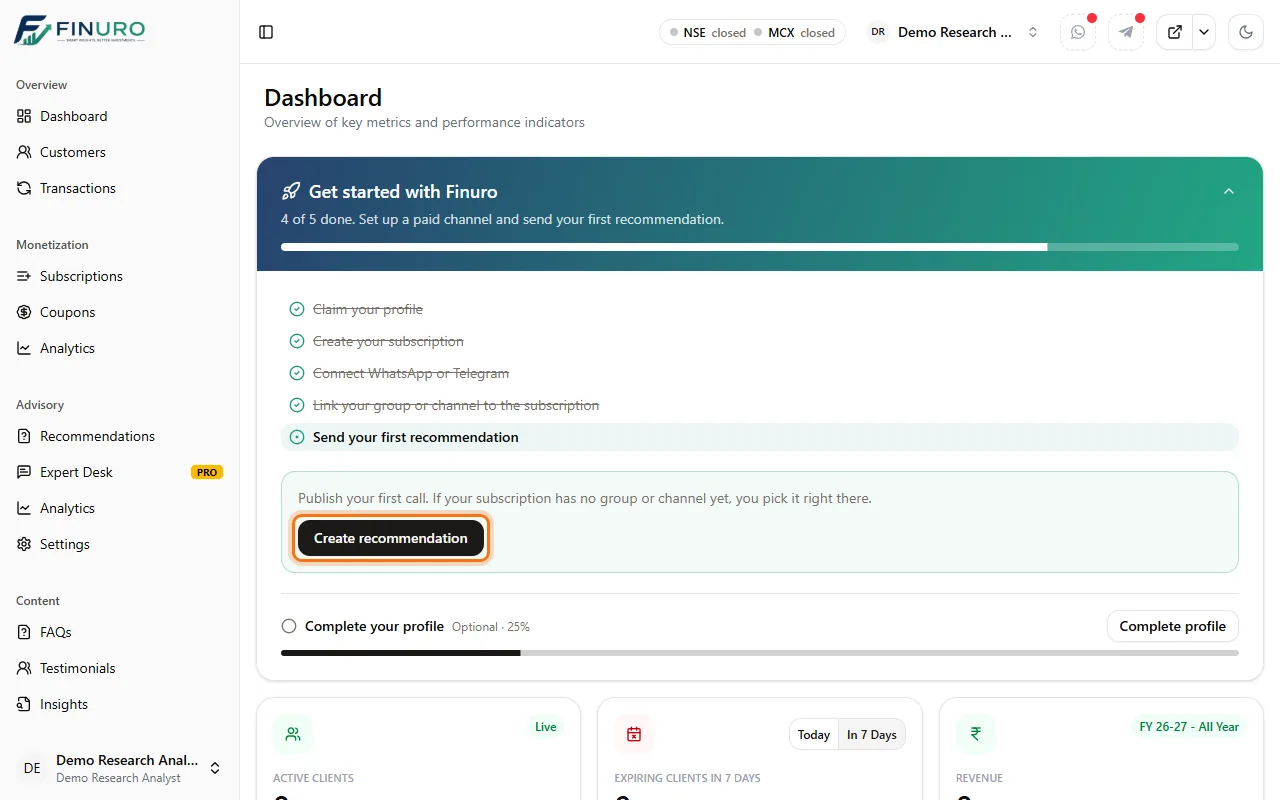 Step 2: Pick the stockClick Select instrument, search by name or symbol, and choose the stock. Tabs let you narrow to Equity, Index, Options, Futures or Commodity. The current market price fills in automatically. 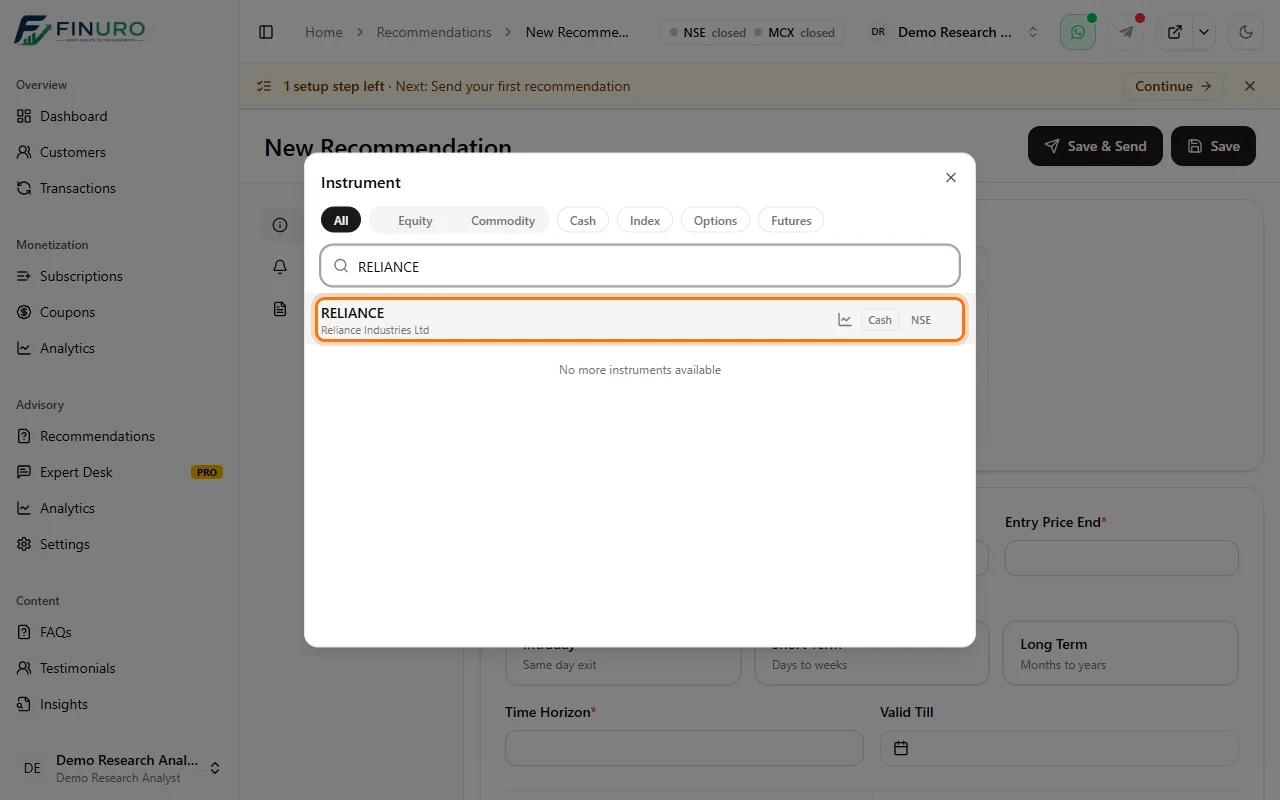 Step 3: Choose the subscriptionIn Select Subscription, choose who this call is for. It's delivered to that subscription's WhatsApp group or Telegram channel. 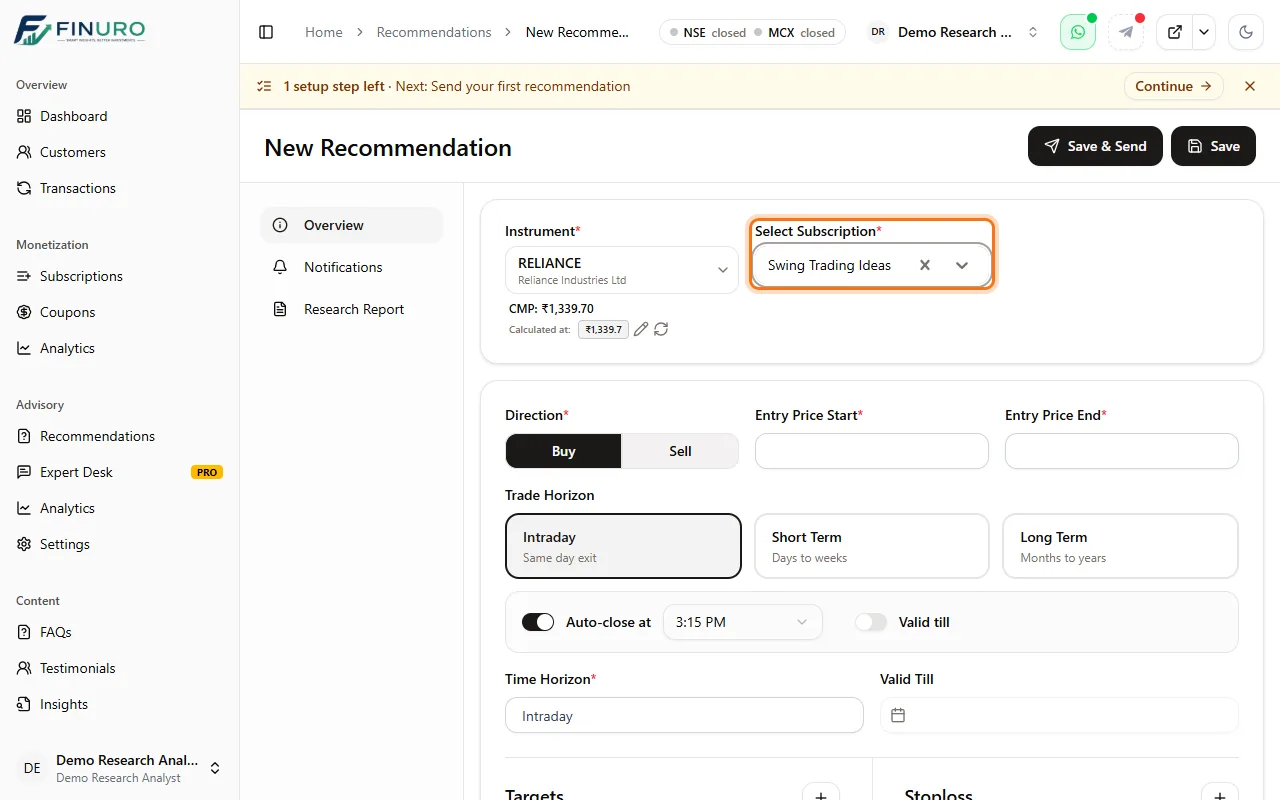 Step 4: Direction and entryChoose Buy or Sell, then enter the Entry Price Start and Entry Price End. 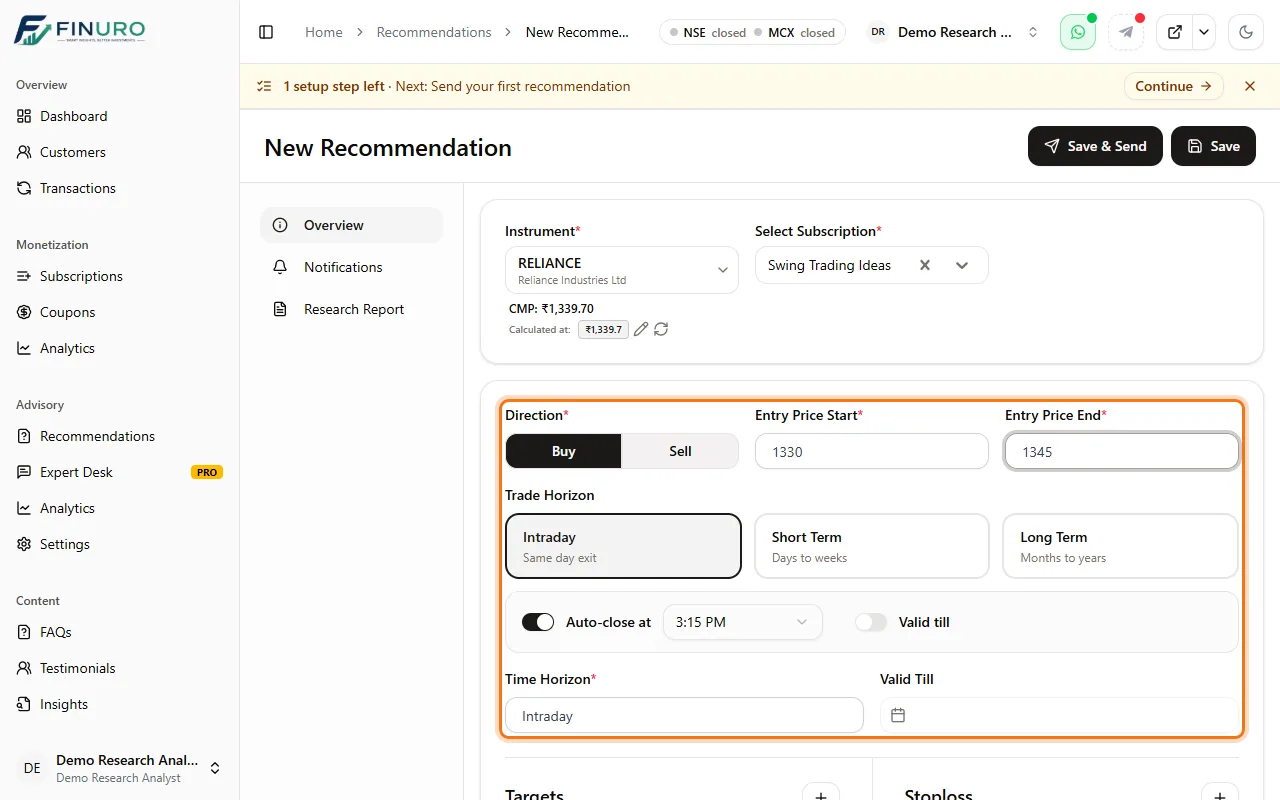 Step 5: Trade horizonPick Intraday (auto-closes at market close), Short Term or Long Term, and describe the holding period in Time Horizon. Optionally set a Valid Till date. 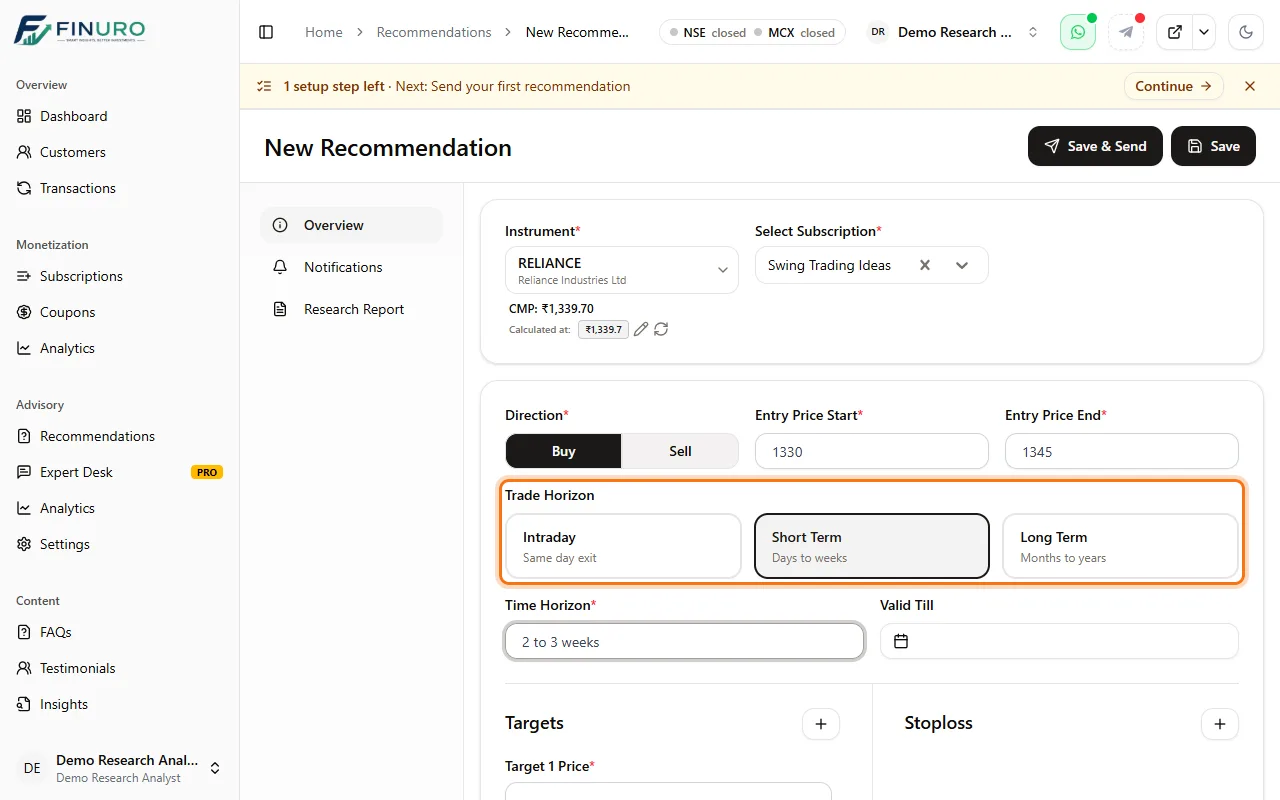 Step 6: Target and stop-lossEnter Target 1 Price; Finuro works out the expected return. Use + to add more targets. 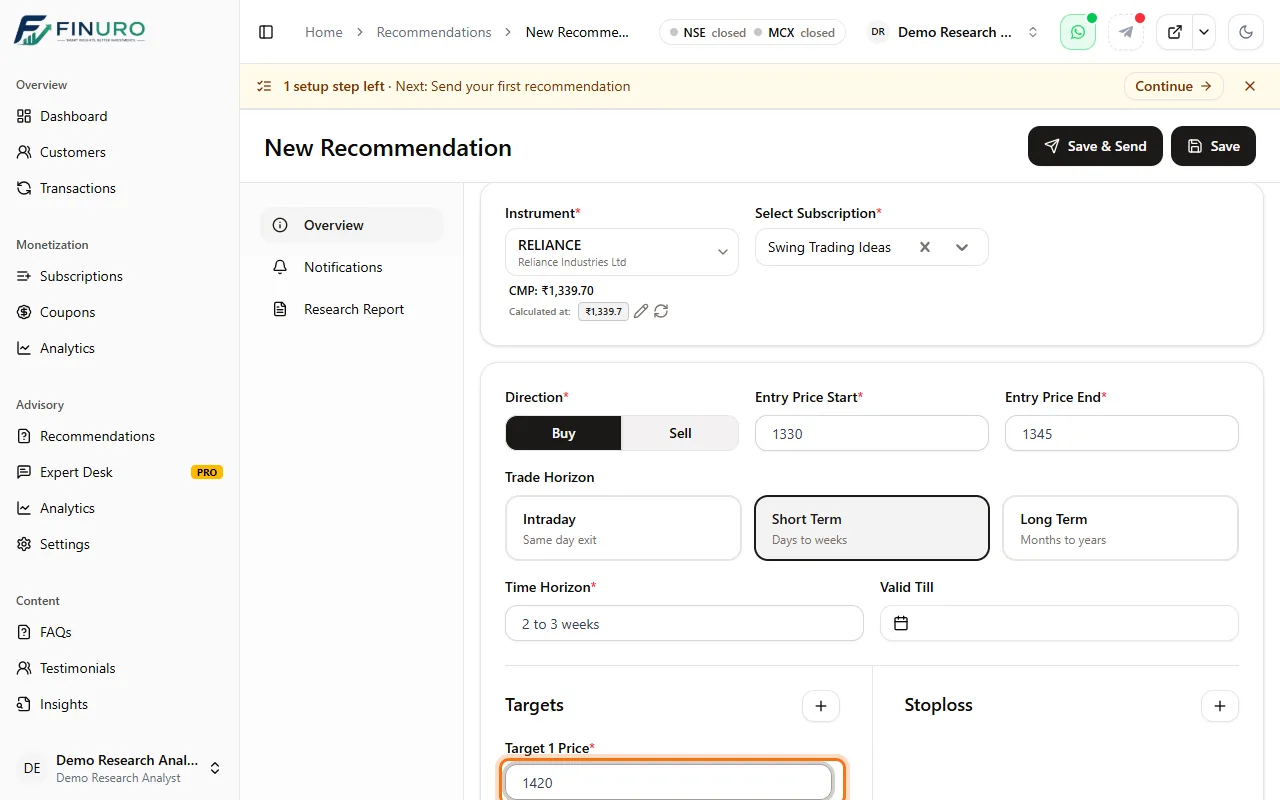 Click + next to Stoploss and enter the stop-loss price. 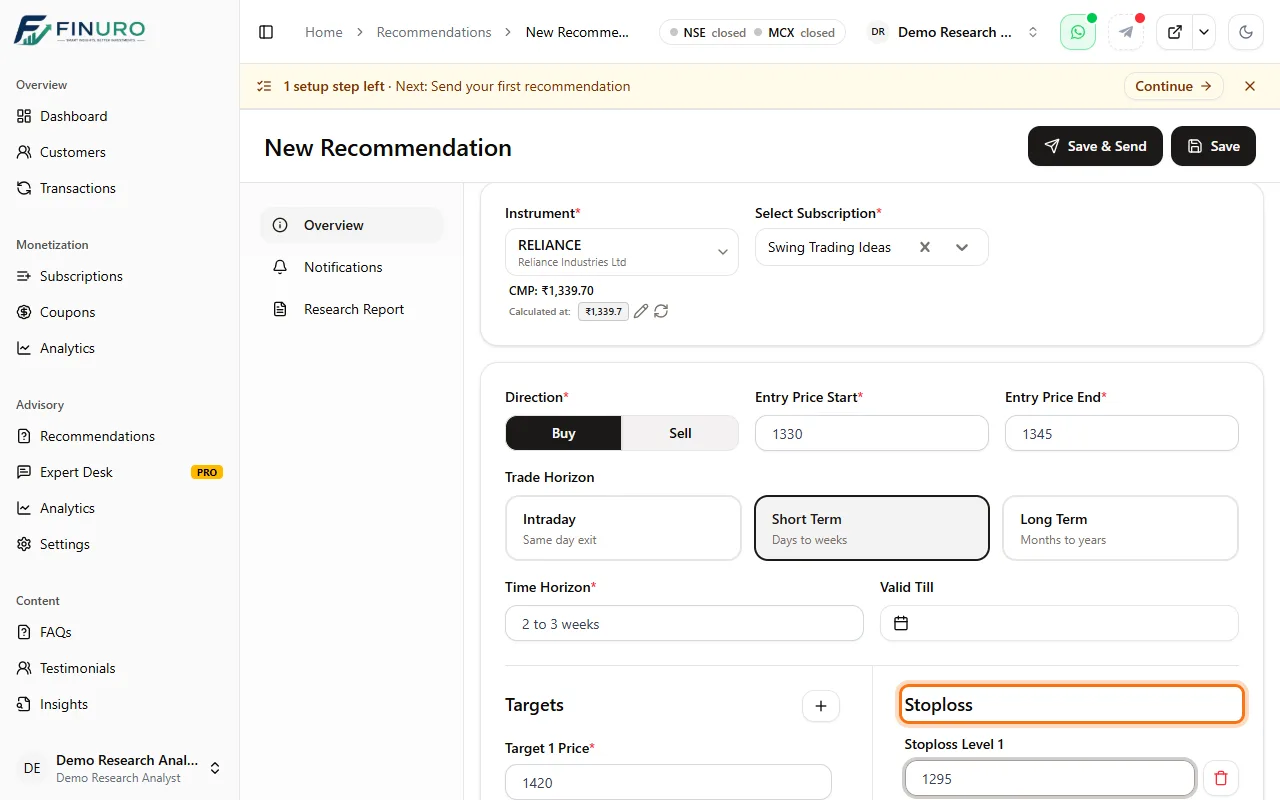 Step 7: Remark and research reportAdd a short Remark with your rationale; it's included in the message. Then open the Research Report tab on the left and attach your report, so the call isn't marked Missing. 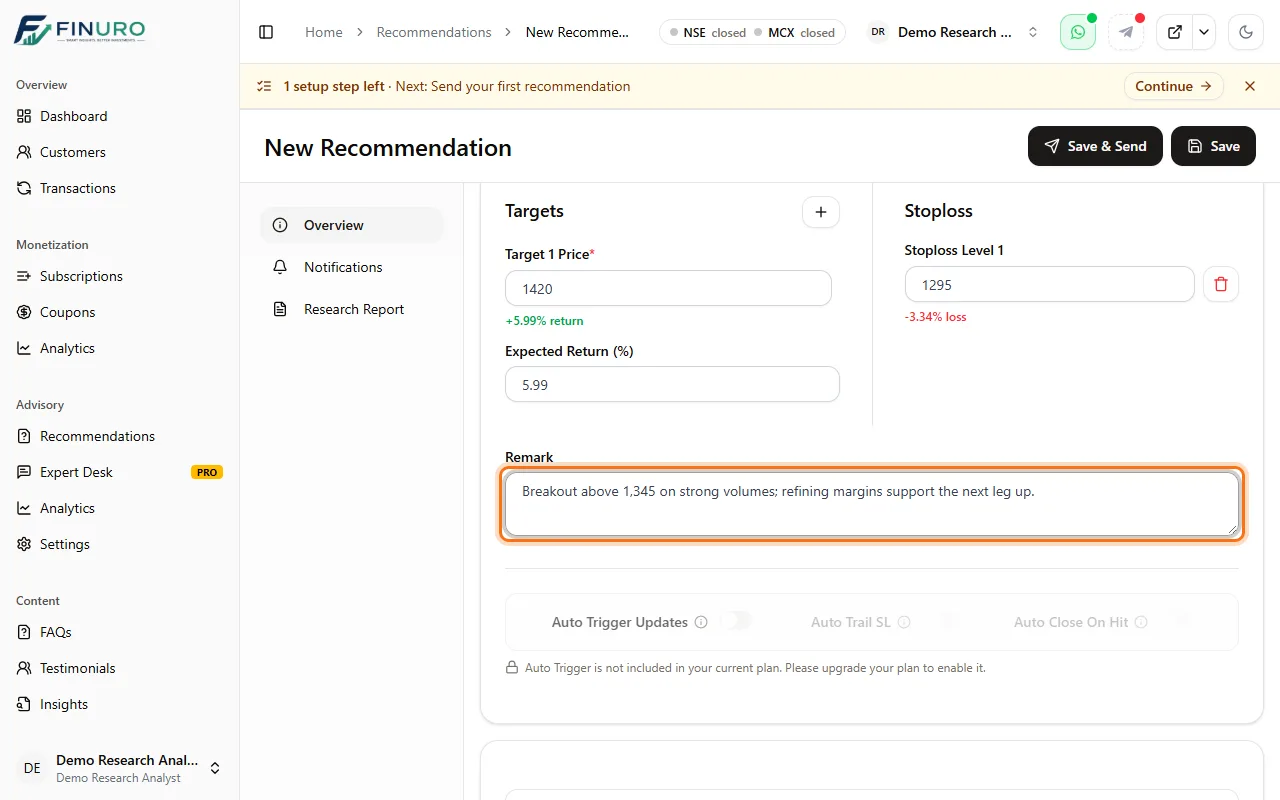 Step 8: Save & SendClick Save & Send at the top. The call is saved and sent to your subscribers straight away. (Save alone keeps it without sending.) 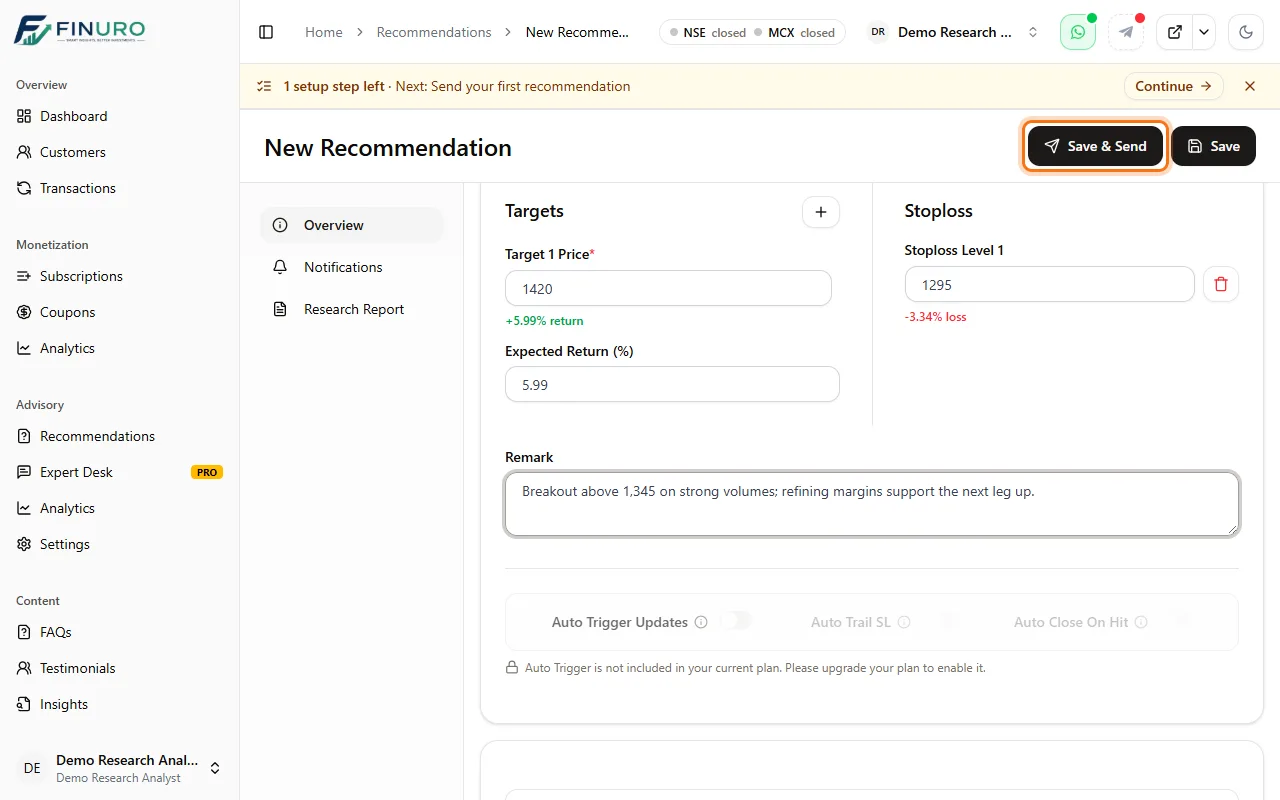 Your call appears in Recommendations with its entry, targets, stop-loss, live P/L and status. Click the eye icon to see where and when it was delivered. 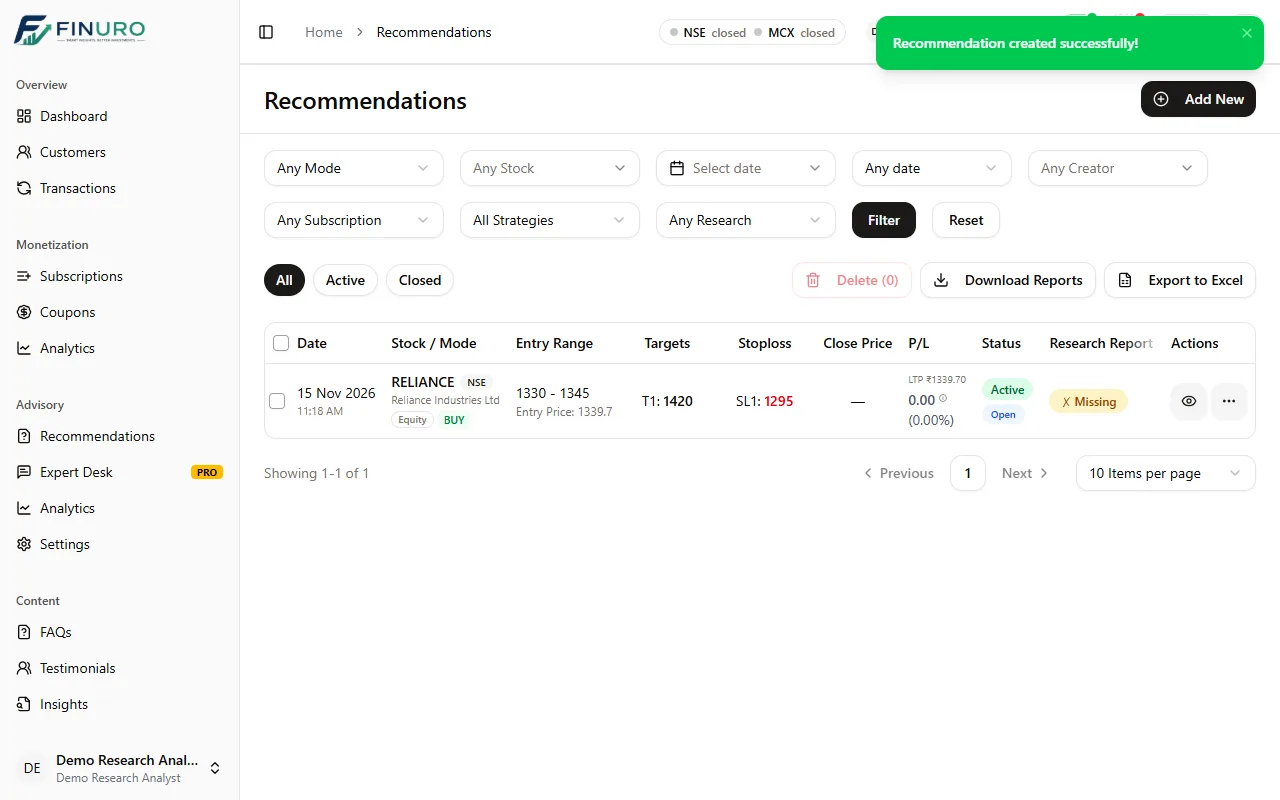 Troubleshooting
What's nextNext guide: What your client sees: your subscription through your client's eyes, from your link to your WhatsApp group. |

Book a Demo
See how Finuro handles onboarding, recommendations, model portfolios, and billing for your advisory firm. Tell us a little about your practice and we'll walk you through the platform on a live call.